
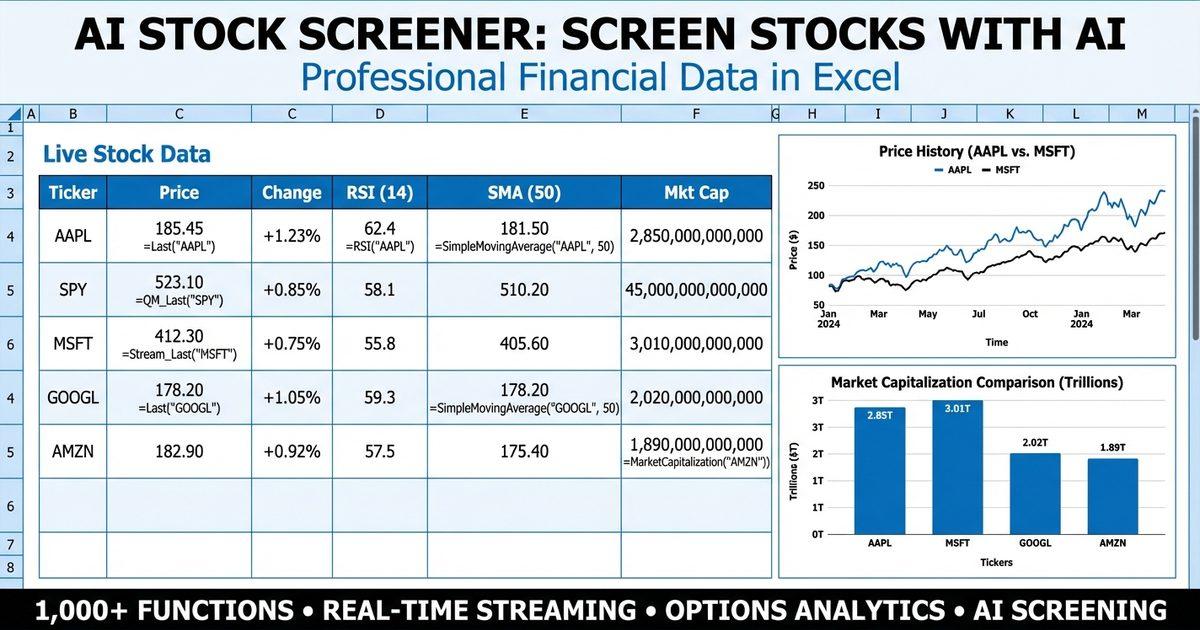
AI stock screener technology is transforming how investors find opportunities in the market. Instead of clicking through dozens of dropdown menus and manually setting filter ranges, you can now describe what you're looking for in plain English — and get results backed by real-time financial data. Whether you want to find undervalued dividend stocks, identify momentum plays using technical indicators, or screen options chains for unusual implied volatility, artificial intelligence makes the process faster, more flexible, and far more intuitive than traditional screening tools.
In this guide, we'll walk through how AI-powered stock screening works, the different approaches available today, and how MarketXLS gives you three powerful ways to screen stocks with AI: an AI-enabled stock screener, an MCP server that works with any AI client, and an Excel add-in with over 1,100 financial functions.
Why Traditional Stock Screeners Fall Short
Traditional stock screeners have been around for decades. You visit a website, select criteria from predefined dropdown lists, set numerical ranges, and click "Search." The results come back in a table. It works — but it has serious limitations.
The Problem with Filter-Based Screening
Most conventional screeners force you into rigid categories. You can filter by P/E ratio, market cap, sector, and maybe a handful of technical indicators. But what if you want something more nuanced? For example:
- "Show me mid-cap healthcare stocks with improving profit margins over the last three years, a current ratio above 1.5, and analyst coverage from at least 10 firms"
- "Find dividend-paying stocks where the dividend yield is above 3%, free cash flow is positive, and the stock is trading below its one-year analyst price target"
- "Screen for stocks with RSI below 30 that also have a P/E ratio under the sector average and positive earnings growth"
Traditional screeners either can't handle these compound queries or require you to export data to a spreadsheet and build the logic yourself. That's exactly the gap AI stock screening fills.
What Makes AI Screening Different
An AI stock screener understands natural language. You describe your investment thesis or screening criteria conversationally, and the AI translates that into the appropriate data queries, applies the filters, and returns matching stocks. The AI can also explain its reasoning, suggest refinements, and help you iterate on your criteria in real time.
More importantly, when backed by a comprehensive financial data platform — like the MCP stock data infrastructure we cover separately — AI screening isn't limited to a fixed set of filters. It can pull from hundreds of data points — fundamentals, technicals, options data, analyst estimates — and combine them in ways no dropdown menu could accommodate.
Three Ways MarketXLS Brings AI to Stock Screening
MarketXLS offers a uniquely flexible approach to AI-powered stock screening. Rather than locking you into a single interface, you get three complementary methods — each suited to different workflows and preferences.
1. The AI-Enabled Stock Screener
MarketXLS has a dedicated AI stock screener built right into the platform. This web-based tool combines traditional screening filters with AI capabilities, letting you define criteria using both standard filter controls and natural language inputs.
The screener gives you access to the full range of MarketXLS data — real-time prices, fundamental metrics, technical indicators, and options data — all through a clean, interactive interface. You can save screens, modify them on the fly, and export results for further analysis.
This is the easiest starting point if you want AI-assisted screening without any setup.
2. The MCP Server for Any AI Client
The Model Context Protocol (MCP) server is where things get truly powerful. MCP is an open standard that lets AI assistants call external tools and retrieve real-time data. MarketXLS operates an MCP server that exposes over 1,100 financial functions to any compatible AI client.
What does that mean in practice? You can open Claude Desktop, Cursor, Windsurf, or any other AI client that supports MCP, connect it to the MarketXLS server, and start screening stocks using natural language — with every query backed by real-time market data.
Here's the setup configuration:
{
  "mcpServers": {
    "marketxls": {
      "url": "https://connect.mcp.marketxls.com/mcp"
    }
  }
}
Add this to your AI client's MCP configuration, and you're connected. The same MarketXLS account you use for Excel works for MCP — no separate subscription required (Advanced plan or higher).
What makes MarketXLS MCP unique: MarketXLS is the only MCP server that provides real-time options data and Greeks. If you trade options, this is a game-changer — you can ask your AI assistant to screen for options with specific implied volatility ranges, find covered call candidates, or analyze put/call ratios, all with current data.
Example MCP Conversations
Once connected, you can have conversations like these with your AI client:
Fundamental Screening:
“"Find me S&P 500 stocks with a P/E ratio under 15, dividend yield above 3%, and a current ratio above 1.5."
The AI will use MarketXLS functions like PERatio(), DividendYield(), and Current_Ratio() to pull current data for each stock and filter the results.
Technical Screening:
“"Which large-cap tech stocks have an RSI below 35 and are trading below their 50-day simple moving average?"
The AI calls RSI(), SimpleMovingAverage(), and Last() to evaluate each candidate in real time.
Options Screening:
“"Show me stocks with implied volatility above 40% that have earnings coming up and a P/E ratio under 20."
The AI uses opt_ImpliedVolatility() alongside fundamental functions to build a custom screen that would be nearly impossible with traditional tools.
Value + Growth Hybrid:
“"Find stocks where return on equity is above 15%, price-to-book is under 3, and earnings per share have been growing. Also check that the one-year analyst target price is at least 15% above the current price."
This query combines ReturnOnEquity(), PriceToBook(), EarningsPerShare(), OneYrTargetPrice(), and Last() — all evaluated with current data.
3. The Excel Add-In with 1,100+ Functions
For investors who love spreadsheets, the MarketXLS Excel add-in is the ultimate custom screening tool. With over 1,100 functions available directly in Excel cells, you can build any screening model you can imagine.
Here's what a custom fundamental screen might look like in Excel:
| Column | Formula | Purpose |
|---|---|---|
| Ticker | AAPL | Stock symbol |
| Price | =Last("AAPL") | Current price |
| P/E Ratio | =PERatio("AAPL") | Price-to-earnings |
| Dividend Yield | =DividendYield("AAPL") | Annual dividend yield |
| Market Cap | =MarketCapitalization("AAPL") | Market capitalization |
| Current Ratio | =Current_Ratio("AAPL") | Liquidity measure |
| Free Cash Flow | =FreeCashFlow("AAPL") | Cash generation |
| Analyst Target | =OneYrTargetPrice("AAPL") | 1-year price target |
| Num Analysts | =NumberOfAnalysts("AAPL") | Analyst coverage |
Put a list of 50 or 100 tickers in column A, drag these formulas down, and add conditional formatting or sort filters — you've built a fully custom AI-assisted stock screener in minutes.
Fundamental Screening with AI
Fundamental screening is the most common use case for stock screeners. You're looking for stocks that meet specific financial criteria — valuation, profitability, balance sheet strength, or growth metrics.
Value Screening
A classic value screen looks for stocks trading at low multiples relative to their earnings, book value, or cash flow. With MarketXLS, you can build this screen using:
=PERatio("AAPL")— Price-to-earnings ratio=PriceToBook("AAPL")— Price-to-book ratio=EarningsPerShare("AAPL")— Earnings per share=FreeCashFlow("AAPL")— Free cash flow
Example value screen criteria:
- P/E ratio less than 15
- Price-to-book less than 2
- Positive free cash flow
- Positive earnings per share
In an MCP-connected AI client, you'd simply say: "Find stocks with P/E under 15, price-to-book under 2, positive free cash flow, and positive EPS." The AI handles the rest.
One blind spot survives whichever method you pick: a result list does not tell you which of your criteria did the eliminating. For a worked example on published value criteria, GuruScreens breaks down which screening rule actually removes each stock across 3,787 companies, including several screens where the rule that reads as strictest turns out to be nearly irrelevant.
Dividend Screening
Income investors often screen for reliable dividend payers. Key functions include:
=DividendYield("AAPL")— Current dividend yield=DividendPerShare("AAPL")— Dividend per share=Ex_DividendDate("AAPL")— Ex-dividend date=FreeCashFlow("AAPL")— Free cash flow (to check dividend sustainability)
Example dividend screen criteria:
- Dividend yield above 3%
- Positive free cash flow (dividend is covered)
- Current ratio above 1.0 (adequate liquidity)
- Total debt-to-equity below 1.5 (manageable leverage)
Growth Screening
Growth investors focus on companies expanding revenue and earnings. Relevant functions:
=Revenue("AAPL")— Total revenue=TotalRevenue("AAPL")— Total revenue (alternate)=NetIncome("AAPL")— Net income=EPSEstimateCurrentYear("AAPL")— Forward EPS estimate=ReturnOnEquity("AAPL")— Return on equity=ProfitMargin("AAPL")— Profit margin
Example growth screen criteria:
- Return on equity above 15%
- Profit margin above 10%
- Positive net income
- EPS estimate for current year higher than trailing EPS
Quality and Financial Health Screening
You can also screen for financially robust companies:
=Current_Ratio("AAPL")— Current ratio (liquidity)=TotalDebtToEquity("AAPL")— Debt-to-equity ratio=GrossProfit("AAPL")— Gross profit=OperatingIncome("AAPL")— Operating income
Example quality screen:
- Current ratio above 1.5
- Debt-to-equity less than 1.0
- Positive operating income
- Gross profit margin above 40%
Technical Screening with AI
Technical screening focuses on price action, momentum, and chart-based signals. This is where AI really shines — combining multiple technical criteria that would require complex spreadsheet logic.
Key Technical Functions
=RSI("AAPL")— Relative Strength Index (14-period default)=SimpleMovingAverage("AAPL", 50)— 50-day simple moving average=Last("AAPL")— Current price=Change("AAPL")— Price change
Oversold Screen
Looking for stocks that may be due for a bounce:
- RSI below 30 (oversold territory)
- Price below the 50-day moving average
- Positive free cash flow (not a fundamentally broken company)
In your AI client: "Find large-cap stocks with RSI under 30 that are trading below their 50-day SMA but still have positive free cash flow and a P/E under 25."
Momentum Screen
Identifying stocks with strong upward momentum:
- RSI between 50 and 70 (strong but not overbought)
- Price above the 50-day moving average
- Positive recent change
- Strong analyst coverage (at least 5 analysts)
Options Screening with AI
This is where MarketXLS truly differentiates itself. As the only MCP server providing real-time options data and Greeks, MarketXLS enables AI-powered options screening that simply isn't available anywhere else.
Options Functions
=opt_ImpliedVolatility("AAPL")— Implied volatility
Combined with fundamental and technical data, you can build sophisticated options screens:
Covered Call Candidates:
“"Find stocks I own that have high implied volatility, are trading near resistance, and have a dividend yield above 2%. I want to sell covered calls on them."
Volatility Plays:
“"Show me stocks where implied volatility is above 50% but the P/E ratio is under 20 and the company has positive free cash flow — potential earnings overreaction candidates."
For a comprehensive look at how AI transforms derivatives analysis, see our options AI guide.
Income Strategy Screening:
“"Find stocks with implied volatility above 30%, dividend yield above 2.5%, and a current ratio above 1.5 — good candidates for cash-secured put selling."
AI Stock Screening Methods: A Comparison
| Method | Best For | Data Access | Setup Required | Flexibility |
|---|---|---|---|---|
| MarketXLS AI Screener | Quick screening, beginners | Full MarketXLS data | None — web-based | High — AI + filters |
| MCP + AI Client | Power users, natural language | 1,100+ functions, real-time | Add MCP config to client | Very high — any query |
| Excel Add-In | Spreadsheet users, custom models | 1,100+ functions, real-time | Install add-in | Maximum — full Excel |
| Traditional Web Screeners | Simple, one-off screens | Limited preset filters | None | Low — fixed filters |
| Python/API Screeners | Developers, backtesting | Varies by API | Heavy — coding required | High — but slow to build |
| Free Online Screeners | Casual investors | Delayed data, basic metrics | None | Very low |
Building a Complete AI Screening Workflow
Here's a practical workflow that combines all three MarketXLS approaches for comprehensive stock screening:
Step 1: Start with the AI Screener
Visit the MarketXLS stock screener and run a broad initial screen. For example, start with all US stocks that have a market cap above $1 billion and positive earnings.
Step 2: Refine with Your AI Client
Take the results from Step 1 and go deeper using your MCP-connected AI client. Ask questions like:
“"From this list of 50 stocks, which ones have a P/E under 20, dividend yield above 2%, RSI between 30 and 60, and are trading below their analyst one-year price target?"
The AI will call the appropriate MarketXLS functions for each ticker and filter the results.
Step 3: Deep Dive in Excel
For the final shortlist (maybe 5–10 stocks), open Excel with the MarketXLS add-in and build a detailed comparison sheet:
| Metric | Formula Example |
|---|---|
| Current Price | =Last("MSFT") |
| P/E Ratio | =PERatio("MSFT") |
| Price to Book | =PriceToBook("MSFT") |
| Dividend Yield | =DividendYield("MSFT") |
| Return on Equity | =ReturnOnEquity("MSFT") |
| Profit Margin | =ProfitMargin("MSFT") |
| Debt to Equity | =TotalDebtToEquity("MSFT") |
| Free Cash Flow | =FreeCashFlow("MSFT") |
| RSI | =RSI("MSFT") |
| 50-Day SMA | =SimpleMovingAverage("MSFT", 50) |
| Implied Volatility | =opt_ImpliedVolatility("MSFT") |
| Analyst Target | =OneYrTargetPrice("MSFT") |
| Number of Analysts | =NumberOfAnalysts("MSFT") |
| EPS Estimate | =EPSEstimateCurrentYear("MSFT") |
This gives you a complete, real-time dashboard for your final candidates — all pulling live data every time you open the spreadsheet.
Setting Up MarketXLS MCP for AI Stock Screening
Getting started with MCP-based stock screening takes just a few minutes. Here's how:
Step 1: Get a MarketXLS Account
Visit MarketXLS pricing and choose the Advanced plan or higher. The same account works for both the Excel add-in and MCP access.
Step 2: Configure Your AI Client
Add the MarketXLS MCP server to your preferred AI client. The configuration is the same regardless of which client you use:
{
  "mcpServers": {
    "marketxls": {
      "url": "https://connect.mcp.marketxls.com/mcp"
    }
  }
}
For Claude Desktop: Go to Settings, then MCP Servers, and add the configuration above.
For Cursor: Open your MCP settings file and add the MarketXLS server entry.
For Windsurf: Navigate to MCP configuration and add the server URL.
The process is similar for any MCP-compatible AI client.
Step 3: Start Screening
Once connected, simply start a conversation with your AI client. Try these prompts:
- "What's the current P/E ratio and dividend yield for AAPL, MSFT, GOOGL, and AMZN?"
- "Screen these 20 stocks and tell me which ones have RSI below 40 and are trading below their one-year analyst target."
- "Build me a value screen: P/E under 15, positive free cash flow, current ratio above 1.5, and debt-to-equity under 1."
The AI will call MarketXLS functions in real time — each function call retrieves the current value, not cached or delayed data.
Real-World AI Screening Examples
Example 1: The Warren Buffett Screen
Warren Buffett looks for quality companies at reasonable prices. Here's how you'd replicate his approach:
Criteria:
- Return on equity above 15%:
=ReturnOnEquity() - Profit margin above 10%:
=ProfitMargin() - Low debt-to-equity (under 0.5):
=TotalDebtToEquity() - Consistent earnings:
=EarningsPerShare() - Reasonable P/E (under 20):
=PERatio()
MCP prompt: "Find stocks with return on equity above 15%, profit margin above 10%, debt-to-equity under 0.5, positive EPS, and P/E under 20. Focus on large-cap companies with at least 10 analyst coverage."
Example 2: The Dividend Aristocrat Hunter
Looking for reliable income investments:
Criteria:
- Dividend yield between 2.5% and 6%:
=DividendYield() - Free cash flow positive:
=FreeCashFlow() - Current ratio above 1.2:
=Current_Ratio() - Payout covered by earnings: compare
=DividendPerShare()vs=EarningsPerShare()
MCP prompt: "Find stocks with dividend yield between 2.5% and 6%, positive free cash flow, current ratio above 1.2, and where earnings per share is at least double the dividend per share."
Example 3: The Oversold Recovery Play
Looking for quality stocks that have pulled back:
Criteria:
- RSI below 35:
=RSI() - Price below 50-day SMA: compare
=Last()vs=SimpleMovingAverage(, 50) - Positive free cash flow:
=FreeCashFlow() - P/E under 25:
=PERatio() - Analyst target above current price: compare
=OneYrTargetPrice()vs=Last()
MCP prompt: "Find stocks with RSI under 35 where the current price is below the 50-day moving average, but free cash flow is positive, P/E is under 25, and the analyst one-year target is at least 10% above the current price."
Example 4: The Options Income Screen
For options sellers looking for premium opportunities:
Criteria:
- High implied volatility:
=opt_ImpliedVolatility() - Stable fundamentals: positive
=FreeCashFlow(),=Current_Ratio()above 1.0 - Good liquidity:
=MarketCapitalization()above $5 billion - Dividend paying:
=DividendYield()above 1%
MCP prompt: "Find stocks with implied volatility above 35%, positive free cash flow, current ratio above 1.0, market cap above $5 billion, and dividend yield above 1%. These would be good candidates for selling cash-secured puts."
Tips for Better AI Stock Screening
Be Specific with Your Criteria
The more specific you are, the better your results. Instead of "find good stocks," try: "Find mid-cap technology stocks with P/E under 20, return on equity above 12%, and positive free cash flow growth."
Combine Fundamental and Technical Filters
The best screens often blend both approaches. Use fundamentals to ensure quality, and technicals to time your entry. For example, a stock might pass all your fundamental criteria, but waiting for an RSI dip gives you a better entry point.
Use Multiple Screening Passes
Start broad (hundreds of stocks), then narrow down in stages. The AI screener is great for the first pass, MCP for refinement, and Excel for final analysis.
Iterate and Refine
One of the biggest advantages of AI screening is the ability to iterate. If your first screen returns too many results, ask the AI to add another filter. If too few, relax a criterion. It's a conversation, not a one-shot query.
Save Your Screens
In Excel, save your screening templates so you can refresh them with live data anytime. With the AI screener at marketxls.com/stock-screener, you can save and revisit your favorite screens.
Frequently Asked Questions
What is an AI stock screener?
An AI stock screener is a tool that uses artificial intelligence to filter and identify stocks based on criteria you describe in natural language. Unlike traditional screeners with fixed dropdown menus, an AI screener understands conversational queries like "find undervalued dividend stocks with low debt" and translates them into specific data-driven filters. MarketXLS offers an AI-enabled stock screener as well as MCP-based screening through any AI client.
How does MarketXLS MCP work with AI clients?
The MarketXLS MCP (Model Context Protocol) server exposes over 1,100 financial functions to any compatible AI client. When you ask your AI assistant to screen stocks, it calls MarketXLS functions to retrieve real-time data — each function call gets the current value at that moment. You add a simple JSON configuration to your AI client (Claude Desktop, Cursor, Windsurf, or any MCP-compatible tool), and the connection is established. Your existing MarketXLS account (Advanced plan or higher) works for both Excel and MCP.
Can I screen for options data using AI?
Yes — and this is a major differentiator. MarketXLS is the only MCP server that provides real-time options data and Greeks. You can ask your AI client to screen for stocks based on implied volatility, find covered call candidates, or identify options with specific characteristics, all combined with fundamental and technical criteria. The opt_ImpliedVolatility() function is available through both the Excel add-in and MCP.
Is the data real-time or delayed?
MarketXLS provides real-time data through both its Excel add-in and MCP server. When you call a function like =Last("AAPL") in Excel or when your AI client calls it via MCP, you get the current value at that moment. There is no streaming — you call the function and receive the current data point. This ensures your screening results reflect actual market conditions.
Do I need separate subscriptions for Excel and MCP?
No. The same MarketXLS account works for both the Excel add-in and MCP access. You need an Advanced plan or higher to access MCP functionality. Visit the MarketXLS pricing page for plan details.
How many stocks can I screen at once?
There is no hard limit on the number of stocks you can screen. In Excel, you can list as many tickers as you want and apply formulas to all of them. Through MCP, your AI client can process lists of stocks by calling functions for each ticker. The MarketXLS stock screener is optimized for screening across the entire US market.
Explore More
- AI Stock Analysis: Real-Time AI-Powered Financial Research
- Options AI: AI-Powered Options Trading with Live Data & Greeks
- ChatGPT Stock Data: Get Real-Time Prices and Financials in Any AI
- MCP Stock Data: Connect Any AI to Live Market Prices & Fundamentals
Start Screening Stocks with AI Today
AI stock screening isn't a future concept — it's available right now. With MarketXLS, you get three powerful approaches in one platform:
- The AI Stock Screener — Start screening immediately with an AI-enabled web interface
- MCP for Any AI Client — Connect Claude Desktop, Cursor, Windsurf, or any MCP-compatible tool to 1,100+ financial functions
- The Excel Add-In — Build unlimited custom screens with real-time data in your spreadsheets
Whether you're a value investor hunting for bargains, a technical trader looking for momentum setups, or an options seller screening for premium opportunities, MarketXLS gives you the data and the AI tools to find what you're looking for.
Explore MarketXLS plans and start screening stocks with artificial intelligence and real-time data today.
