
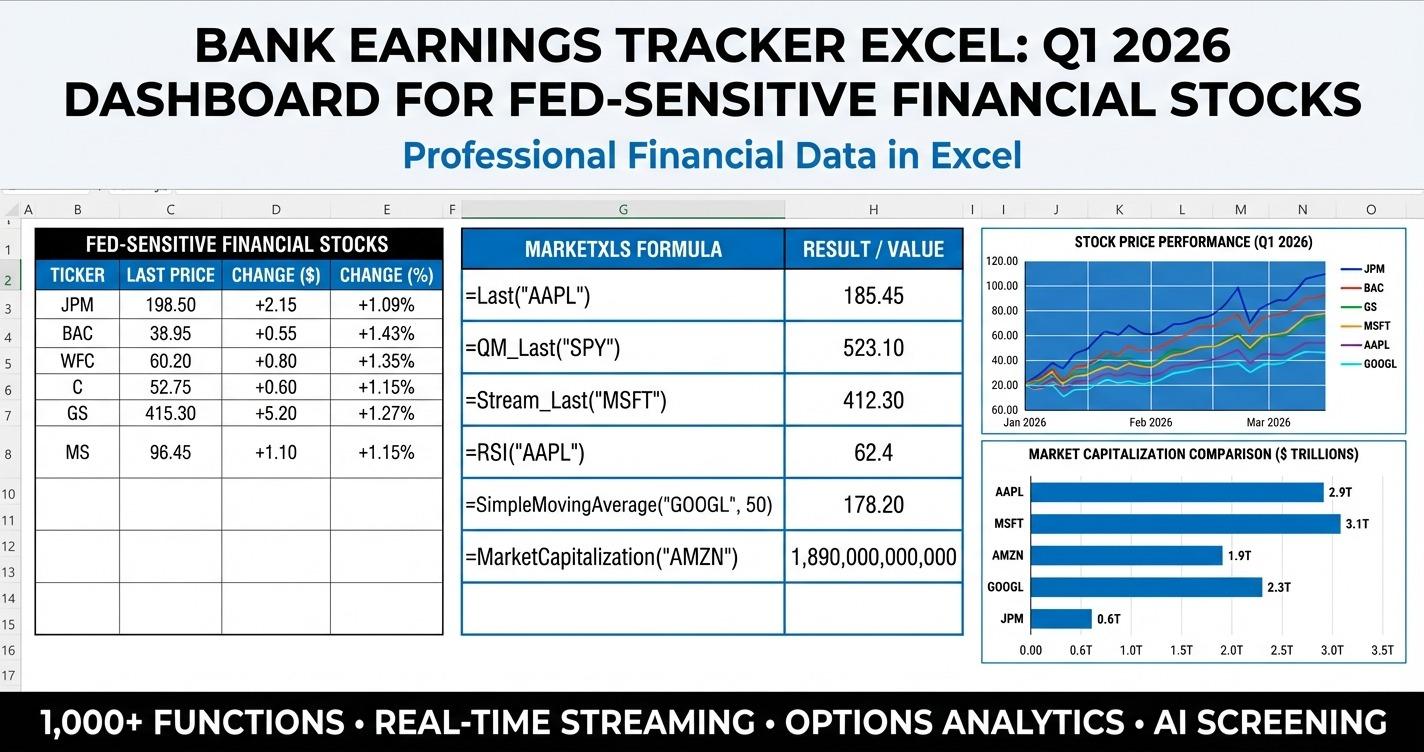
Bank earnings tracker excel is a practical way to follow one of the most important crosscurrents in the market right now: large US banks reporting Q1 2026 results while investors reassess the Fed path, net interest margin pressure, deposit competition, and the knock-on effects of slower growth signals across the economy. This guide shows how to organize that process in Excel with MarketXLS formulas, how to compare major bank stocks side by side, and how to use a downloadable workbook to turn a noisy earnings season into a repeatable research workflow.
| Ticker | Focus | Why it matters in Q1 2026 |
|---|---|---|
| JPM | Scale and quality | Often viewed as the benchmark for money center bank execution |
| BAC | Rate sensitivity | Net interest income outlook matters when the Fed outlook shifts |
| WFC | Efficiency and loan mix | Sensitive to consumer and commercial credit trends |
| C | Valuation discount | Useful for comparing cheapness versus execution risk |
| GS | Markets and banking mix | Trading and deal activity can offset pressure in other areas |
| MS | Wealth and capital markets | Fee mix can behave differently than pure lending models |
The setup for April 2026 is unusually useful for a structured dashboard. Markets are balancing sticky inflation concerns, another round of Fed communication, higher energy price chatter, and the beginning of a major bank earnings stretch. That means investors are no longer looking at bank stocks through a single lens. They are comparing valuation, trend, dividend income, balance sheet strength proxies, and earnings timing all at once.
That is exactly where Excel still shines.
A good bank earnings template does not try to predict the quarter. It helps you ask better questions:
- Which banks are trading closest to book value?
- Which names still have stronger return on equity?
- Which stocks are above or below long-term trend support?
- Which dividend yields look attractive relative to perceived risk?
- Which earnings dates cluster together, creating event risk for the whole group?
MarketXLS is a strong fit for this because the workbook can stay formula-driven instead of becoming a dead spreadsheet a few days after you build it. You can pull live prices, earnings dates, valuation ratios, moving averages, and growth metrics into one file and then layer your own research process on top.
Why bank earnings matter so much right now
Bank earnings often act like a live stress test for the broader market narrative. When the Fed path is uncertain, large banks sit at the center of several key questions:
- Are deposit costs still rising fast enough to squeeze margins?
- Is loan growth holding up, or is credit demand starting to soften?
- Are reserve builds signaling a tougher consumer or commercial outlook?
- Are capital markets businesses improving enough to offset lending pressure?
- Are valuations already discounting too much bad news, or not enough?
In early Q2 2026, that mix becomes even more relevant because investors have to reconcile macro signals with company-specific execution. One bank can look cheap on price-to-book but still disappoint if guidance weakens. Another can trade at a premium because investors trust management, capital allocation, and fee stability.
This is why a simple watchlist is not enough. A useful workflow needs to combine:
- event timing
- valuation context
- income profile
- trend and momentum signals
- position sizing discipline
That is the reason this post uses Template E, Market Analysis, from the First Word Framework. The topic is timely, market-driven, and educational. It also naturally leads to a practical template.
What is inside the Bank Earnings Tracker Excel workbook
The downloadable package includes two files:
Download the templates:
- - Pre-filled with current data
- - Live-updating formulas
Both files use the same six-sheet structure:
- How To Use
- Main Dashboard
- Scenario Analysis
- Strategy / Options
- Portfolio / Allocation
- Correlation / Comparison
The sample workbook is designed as a lead magnet and learning aid. It includes a visible data date, branding, and references to the exact MarketXLS functions used on each sheet.
The MarketXLS formula version is the working template. It is built so that the core market data cells stay live instead of static. That matters during earnings season because price, valuation, momentum, and event timing can all change quickly.
Sheet-by-sheet walkthrough
1. How To Use
This sheet explains the logic of the workbook and links directly to MarketXLS and Book a Demo. It is there to shorten the learning curve for advisors, analysts, and individual investors who want a repeatable process instead of a one-off spreadsheet.
2. Main Dashboard
The dashboard is the heart of the template. It brings six major bank stocks into one view and tracks:
- upcoming earnings date
- last price
- trailing P/E ratio
- price-to-book ratio
- return on equity
- dividend yield
- 50-day versus 200-day trend spread
- RSI momentum
This creates a compact decision surface. If one bank has a lower P/B ratio but also weaker trend status and softer profitability, the dashboard makes that tension obvious. If another looks expensive on P/E but has stronger ROE and price support, that also shows up immediately.
3. Scenario Analysis
The scenario sheet is not a prediction engine. It is a structured planning tool. In the template, the scenarios include soft landing, higher-for-longer Fed, growth scare, and a steeper curve environment. Those are useful because bank multiples and sentiment can move fast when the market re-prices rates.
By organizing scenarios up front, you avoid making ad hoc decisions in the middle of earnings week.
4. Strategy / Options
This sheet can be used whether you trade options or not. The point is to define an educational plan around the event:
- what kind of bias are you evaluating?
- what price zone would trigger review?
- what invalidates the thesis?
- does a covered call or collar deserve analysis, or is a wait-and-see approach better?
The language here is intentionally non-prescriptive. This is an educational planning sheet, not a recommendation engine.
5. Portfolio / Allocation
Bank stocks can look similar at a glance, but portfolio impact depends on position size. This sheet uses input cells for portfolio size and target weight, then estimates allocation, share count, dividend income, market cap exposure, and beta.
That matters because a stock that looks optically cheap can still create concentration risk if it ends up being your largest financial sector position.
6. Correlation / Comparison
The final sheet compares sector, price, P/E, P/B, ROE, quarterly revenue growth, dividend yield, and long-term trend status. This helps you answer the question many investors ask during earnings season: are these names really interchangeable, or are they behaving differently enough to justify selective positioning?
Verified MarketXLS formulas used in this template
One of the most important rules in this pipeline is simple: do not invent formulas. Every formula used in the live workbook was checked through the Function Docs MCP before being added.
Here are the core formulas used in the template:
=earnings_date("JPM")
=Last("JPM")
=PERatio("JPM")
=PricePerBook("JPM")
=ReturnOnEquity("JPM")
=DividendYield("JPM")
=FiftyDayMovingAverage("JPM")
=TwoHundredDayMovingAverage("JPM")
=RelativeStrengthIndex("JPM","14")
=MarketCapitalization("JPM")
=Beta("JPM")
=Sector("JPM")
=QuarterlyRevenueGrowthYOY("JPM")
These formulas cover the main questions that matter for this use case:
- earnings_date() tells you when the event happens.
- Last() keeps price-aware calculations current.
- PERatio() gives a familiar earnings multiple.
- PricePerBook() is especially useful in bank analysis because book value still matters more here than in many asset-light sectors.
- ReturnOnEquity() gives a clean profitability lens.
- DividendYield() adds the income component.
- FiftyDayMovingAverage() and TwoHundredDayMovingAverage() help frame short-term versus long-term trend.
- RelativeStrengthIndex() gives a momentum check.
- MarketCapitalization() and Beta() help with sizing and risk comparisons.
- Sector() and QuarterlyRevenueGrowthYOY() add business context.
If you want a broader comparison workflow, you may also like our posts on quarterly earnings trackers, interest rate sensitive stock screeners, and portfolio stress testing.
Why price-to-book still matters for bank stocks
In many sectors, price-to-book is a blunt tool. In banks, it remains useful because balance sheet quality, capital strength, and returns on equity all relate more directly to the underlying asset base. That does not mean P/B should be used alone. It means it still belongs on the dashboard.
A few practical ways to interpret it:
- A low P/B ratio can indicate caution, distress, or a market belief that returns will stay weak.
- A higher P/B ratio can reflect stronger profitability, cleaner execution, or better growth confidence.
- A P/B ratio without ROE context is incomplete.
- A P/B ratio without trend context can become a value trap.
That is why the template pairs PricePerBook() with ReturnOnEquity(), Last(), and moving average indicators.
How to use the dashboard during earnings week
A strong process might look like this:
Before earnings
- confirm all earnings dates on the dashboard
- review current valuation and trend dispersion
- update your scenario notes
- decide whether you are studying the group, one specific bank, or a relative-value comparison
On the day of earnings
- refresh the workbook
- check whether price is breaking above or below trend markers
- compare the market reaction against starting valuation
- update the strategy sheet with what changed
After the first few reports
- compare how the market rewarded or punished similar results
- see whether cheap banks stayed cheap or began to re-rate
- monitor whether higher-quality names kept their premium
- revisit portfolio weights instead of reacting name by name
This is where the Excel format helps. You can update the whole research frame in minutes instead of jumping between finance sites and handwritten notes.
Educational strategy ideas for this template
Because this post is educational only, the best way to think about the strategy sheet is as a place for process, not prediction.
A few examples of educational use cases:
Relative valuation review
Suppose one bank screens as the cheapest on P/B while another screens as the strongest on ROE. You can use the template to compare whether the discount looks justified or excessive.
Income-focused review
If your interest is dividend durability rather than short-term upside, the combination of dividend yield, price trend, and earnings timing can help you avoid looking at yield in isolation.
Event-risk planning
Some investors do not want to hold full size through earnings. The template lets you mark review triggers, risk stops, and post-event re-entry zones without turning the workbook into a trade blotter.
Covered call and collar evaluation
The Strategy / Options sheet is intentionally broad. If you use option overlays for income or risk management, you can note which stock merits further review after the earnings date without hard-coding a recommendation into the file.
For broader option workflows, MarketXLS also supports option data analysis across many templates and tutorials, including our live option chain in Excel guide and covered call calculator workflow.
Why this topic fits current market conditions
A daily blog pipeline should not produce random spreadsheet ideas. It should produce useful research assets tied to what investors are actually paying attention to right now.
On April 9, 2026, large bank earnings are timely for several reasons:
- the market is still debating how quickly the Fed can ease
- inflation and energy headlines continue to shape rate expectations
- financials often react sharply when yield curve assumptions change
- earnings guidance can matter more than headline EPS when margin pressure is in focus
- advisors and active investors need a framework to compare bank results quickly
That makes this a better daily template topic than a generic bank stock post. The search intent is immediate and practical. Someone looking for a bank earnings tracker in Excel usually wants a working file, not just a high-level article.
Building your own version with MarketXLS
If you want to customize this workbook, start with the live formula version and adapt it to your coverage universe.
A few ideas:
- swap in regional banks if your focus is credit sensitivity
- add insurance names for a broader financials dashboard
- expand the scenario sheet with your own macro assumptions
- split the portfolio sheet into income and total-return sleeves
- add historical tabs if you want quarterly snapshots over time
The key is to keep live data cells formula-driven and keep manual inputs limited to true judgment fields such as scenario notes, weight preferences, and review triggers.
You can explore more on the MarketXLS homepage, review platform capabilities, or see whether a team workflow would benefit from a guided walkthrough on the demo page. If you are comparing data platforms, the pricing page is the right place to review plans.
FAQ
Is this Bank Earnings Tracker Excel template only for professional advisors?
No. The workbook is useful for advisors, analysts, and self-directed investors. The structure is professional enough for repeatable research, but the layout is simple enough for individual investors who want one place to track major banks during earnings season.
Why use price-to-book for banks instead of just P/E?
Banks are balance-sheet-heavy businesses, so book value still carries analytical weight. P/E helps with earnings-based valuation, but P/B can offer a better quick screen when comparing financial institutions. The best approach is to use both, then compare them against ROE and trend data.
Does the live template contain static market data?
No. The MarketXLS formula version is designed so that core market data cells use live formulas instead of hard-coded values. The static sample file exists so users can preview the structure and see which formulas power each sheet.
Can I add more bank stocks to the workbook?
Yes. The easiest path is to copy an existing row in the live workbook and replace the ticker symbol. Because the formulas reference the ticker cell, the rest of the row can update automatically.
Is this template giving investment advice?
No. This workbook is educational. It helps organize earnings dates, valuation metrics, trend signals, and allocation math. It does not tell you what to buy or sell, and it should not replace your own research or professional judgment.
Why track RSI and moving averages in an earnings template?
Because valuation alone does not explain short-term market behavior around earnings. Momentum and trend context help you see whether the market is already leaning bullish or bearish into the report.
The bottom line
Bank earnings tracker excel is the kind of template that becomes more useful when markets get noisier. In Q1 2026, large US banks are sitting right at the intersection of Fed uncertainty, valuation dispersion, income demand, and event-driven volatility. A clean dashboard helps you compare those moving parts in one place instead of reacting to headlines one by one.
If you want a ready-made starting point, use the download links above and open the live formula workbook in Excel. If you want to build on top of it, MarketXLS gives you the formula layer to keep the file current.
For more research workflows, visit MarketXLS or book a demo.
