
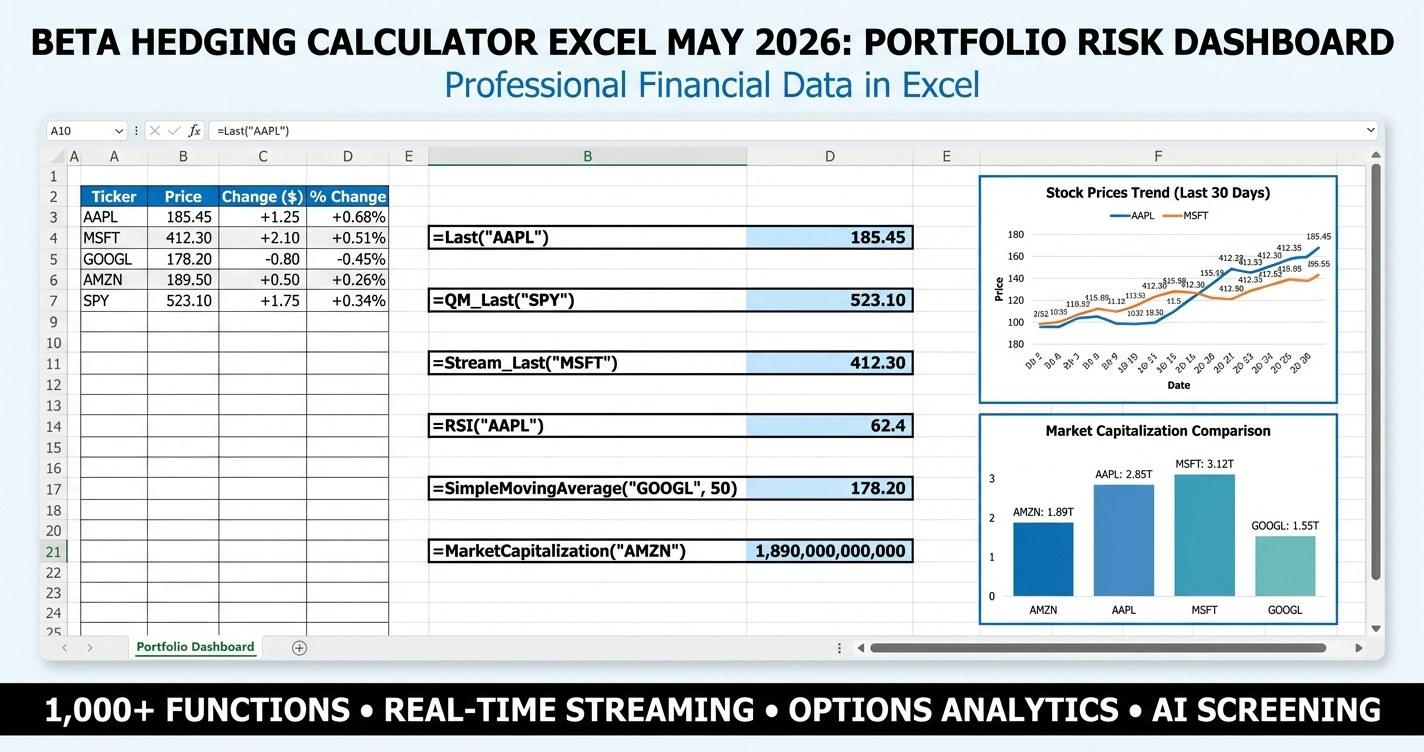
Beta hedging calculator excel - if that is what you have been searching for in mid-May 2026, you are almost certainly trying to do one specific thing: figure out how much of an index hedge your concentrated long book needs before the next leg of the market shows up. With the S&P 500 sitting near all-time highs, "Sell in May" seasonality in the rearview, and Q1 2026 earnings season closing out with leadership still concentrated at the top, the question of how to bolt a partial market hedge onto a long portfolio is back on the table. This guide walks through the math, shows the exact MarketXLS formulas, and gives you a professional-grade Excel dashboard that puts the answer on one screen.
Why a Beta Hedging Calculator Matters Right Now
Mid-May 2026 is an unusual moment in the cycle. The S&P 500 has spent the last six weeks consolidating after the Q1 earnings push, the VIX is camped in the low teens, and dispersion between high-beta names and defensives has widened meaningfully. Investors holding tech-heavy growth portfolios from the 2023 to 2025 leg are sitting on large unrealized gains and asking the same question: how do I keep the upside while putting a floor under the next 10% drawdown.
That is the textbook use case for beta hedging. Instead of selling positions (and triggering tax events), you sell short an index ETF, buy an inverse ETF, or buy put options on an index in a size that offsets your portfolio's market beta. The result is a portfolio that still owns the same names but has a different sensitivity to broad market moves.
A beta hedging calculator answers four practical questions on a single dashboard:
- What is the dollar-weighted beta of my actual portfolio right now?
- How many shares of SPY, QQQ, IWM, or DIA do I need to short to neutralize that beta?
- How many put option contracts do I need if I prefer a defined-risk hedge?
- What does my P&L look like at -20%, -10%, -5%, 0%, +5%, and +10% market moves, with and without the hedge in place?
The premium template below answers all four on a single landscape sheet, and it ships with a 10-sheet supporting workbook covering inputs, holdings detail, hedge math, scenario analysis, correlation, methodology, and a glossary.
Key Beta Hedging Numbers - What to Read First
Before opening the template, anchor on a few numbers a hedger always wants on screen. These are the headline KPI tiles on the dashboard sheet:
| KPI | What it Tells You | Why it Matters |
|---|---|---|
| Portfolio Value | Total market value of holdings | Sets the dollar size of every hedge calculation |
| Portfolio Beta | Dollar-weighted average beta vs S&P 500 | Tells you whether you are running market exposure above or below 1.0 |
| Hedge Notional | Portfolio Beta x Portfolio Value x Hedge Ratio | The dollar size of the index position needed to offset beta |
| Index Hedge Shares | Hedge Notional / Index ETF Price | The actual share count to short in SPY, QQQ, IWM, or DIA |
| Hedged Beta | Portfolio Beta x (1 - Hedge Ratio) | What remains after the hedge is on - 0.0 is a market-neutral book |
| Daily $VaR (95%) | 1.645 x daily vol x beta x value | One-day tail loss estimate at 95% confidence |
These six tiles - rendered as big-number KPI tiles across the top of the dashboard - let any portfolio manager glance at the screen and immediately know the size of the hedge needed. The number that drives everything else is portfolio beta. Get that right and the rest is arithmetic.
How Beta Hedging Actually Works
Beta is a regression slope. When you regress a stock's returns on the index's returns, the slope of the best-fit line is the stock's beta. A beta of 1.5 means the stock historically moved 1.5 percent when the market moved 1 percent. A beta of 0.5 means it moved half as much. The intercept of that regression is alpha - the stock-specific return that does not come from the broad market.
The hedging idea is mechanical. If your portfolio has a beta of 1.20 and a value of 500,000 dollars, then a 1 percent move in the market should produce roughly a 6,000-dollar move in your book (1.20 x 0.01 x 500,000 = 6,000). To offset that move, you need an index position worth 1.20 x 500,000 = 600,000 dollars. If SPY is trading at 540, that is about 1,111 shares of SPY (600,000 / 540 = 1,111). Sell short 1,111 shares and your book's market sensitivity drops near zero.
This formula is the engine of the entire dashboard:
Hedge Notional = Portfolio Beta x Portfolio Value x Hedge Ratio
Hedge Shares  = Hedge Notional / Index ETF Price
When you want a partial hedge, scale by the hedge ratio. A 50 percent hedge halves the share count and halves the market exposure removed. A 25 percent hedge is a tail-risk trim - you keep most of the upside but cap the worst draw.
Cross-Index Hedges: When QQQ or IWM Beats SPY
The math above assumes you hedge an S&P-exposed book with SPY (which has a beta of 1.0 to itself). In practice, the cleanest hedge depends on what you own. A tech-heavy portfolio is much more correlated with QQQ than with SPY, so QQQ usually produces a smaller residual after the hedge is on. A small-cap-tilted book lines up with IWM, not SPY.
To use a cross-index ETF for the hedge, you have to scale the share count by that ETF's beta to the S&P 500. QQQ typically runs a 1.15 to 1.20 beta to the S&P; IWM runs 1.10 to 1.20; DIA runs about 0.92. The Hedge Calculator sheet sizes the hedge in all four ETFs side by side so you can compare:
=ROUND(Holdings!E15*Holdings!H15/(QM_Last("QQQ")*Beta("QQQ")),0)
Pick the index whose beta and correlation profile look closest to your portfolio. The Correlation sheet in the template prints holdings-by-index correlation for exactly this purpose - holdings with high correlation to QQQ get hedged cleanly by QQQ, and so on.
Put Option Hedges: A Defined-Risk Alternative
ETF share hedges have linear payoffs. If the market rallies 10 percent, your hedge loses what your portfolio gains - you have a near-zero net result. That is the trade-off of full beta neutralization: you give up the upside.
Put option hedges have non-linear payoffs. A long put on SPY pays off when SPY drops below the strike; it expires worthless if SPY stays above. The maximum loss is the premium paid. That gives you a floor without giving up upside - in exchange for paying premium and watching time decay (theta) chip away at the position every day.
Sizing a put-option hedge requires one extra input: option delta. Delta is the option's sensitivity to a 1-dollar move in the underlying. At-the-money puts typically have a delta around -0.50. Deeper in-the-money puts have higher absolute deltas (more leverage per contract); out-of-the-money puts have lower absolute deltas (less leverage). The Hedge Calculator sheet uses this formula:
Put Contracts = Hedge Notional / (Index Price x 100 x |Delta|)
The 100 is the contract multiplier - each listed equity option represents 100 shares of the underlying. For a 600,000-dollar hedge notional against SPY at 540 with a 0.50-delta put, that works out to about 22 contracts (600,000 / (540 x 100 x 0.50) = 22.2). The template sizes the put hedge at 25%, 50%, 75%, and 100% ratios for every index.
MarketXLS Formulas That Drive the Dashboard
Every cell in the template's live version uses verified MarketXLS formulas. No invented function names, no scraped data. The core set used in this beta hedging calculator:
=QM_Last("AAPL")            -> Current live price of each holding
=Beta("AAPL")               -> Beta of each holding versus the market
=Beta("SPY")                -> ETF beta vs S&P 500 (used for cross-index hedges)
=Beta("QQQ")                -> QQQ-to-S&P beta (typically ~1.15-1.20)
=Beta("IWM")                -> IWM-to-S&P beta (typically ~1.10-1.20)
=Beta("DIA")                -> DIA-to-S&P beta (typically ~0.92)
=StockReturnOneYear("AAPL") -> Trailing 1-year return (context column)
=StockVolatilityOneYear("AAPL") -> Trailing 1-year volatility (annualized)
=DividendYield("AAPL")      -> Annual dividend yield
=MarketCapitalization("AAPL") -> Market cap for size attribution
=Sector("AAPL")             -> GICS sector classification
=PortfolioBeta("AAPL,MSFT,NVDA","1Y") -> Direct MarketXLS portfolio beta
The two formulas that do the heavy lifting are QM_Last and Beta. QM_Last pulls live prices from QuoteMedia (refresh-on-open or via the MarketXLS recalc button). Beta returns the trailing regression slope versus the S&P 500. Together they let the dashboard compute portfolio value, weighted beta, hedge notional, and hedge share count on every recalc cycle without you touching any input beyond ticker and share count.
For users running a different lookback window, MarketXLS also exposes PortfolioBeta which takes a list of tickers and a period (3M, 6M, 1Y, 3Y, 5Y) and returns the weighted beta directly. The dashboard exposes this on the Inputs sheet as an alternative path.
What is Inside the Template
The template ships as a 10-sheet workbook designed to look and feel like a dashboard product, not a spreadsheet handout. Each sheet has its own job:
- Cover - Branded title page with the table of contents, version stamp, and "Data as of" timestamp. Tab color navy. Gridlines hidden.
- How To Use - A five-minute tour from portfolio entry to hedge quantity, with one section per step and the formula box at the bottom.
- Dashboard - The headline sheet. Six KPI tiles across the top (Portfolio Value, Portfolio Beta, Hedge Notional, Index Shares, Hedged Beta, Daily VaR), a 14-column hedge math table with conditional formatting heatmaps, two embedded charts (beta contribution by holding and scenario P&L), and a built-in scenario table.
- Inputs - Yellow gold-bordered input cells. Hedge index dropdown (SPY/QQQ/IWM/DIA), hedge ratio, hedge instrument selector (ETF Shares / Put Options / Inverse ETF), put option target delta, VaR confidence interval, lookback window, and risk-free rate. Includes the 10-row portfolio holdings input table.
- Holdings - Position-level detail: shares, price, market value, weight, beta, beta contribution, and 1-year return for each line. Total row at the bottom. Data bars on weight and beta contribution; color-scale heatmap on beta.
- Hedge Calculator - The sizing tables. Section A sizes the hedge in ETF shares for SPY, QQQ, IWM, and DIA at 25%, 50%, 75%, and 100% hedge ratios. Section B does the same in put option contracts. Notes section explains the difference between the two and when to use each.
- Scenario Analysis - Nine market move scenarios (-20%, -15%, -10%, -5%, 0%, +5%, +10%, +15%, +20%) with portfolio P&L unhedged and at four hedge ratios. Conditional formatted heatmap (red = loss, green = gain). Built-in line chart compares the curves.
- Correlation - Holdings-versus-index correlation matrix. Each holding gets a correlation to SPY, QQQ, IWM, and DIA. The best-fit index for each name is auto-detected. Portfolio-weighted aggregate correlation versus each index is computed in the summary block - tells you immediately which index hedges your specific book the cleanest.
- Methodology - One-page explainer of the model: what beta means, how the hedge math works, why correlation matters, the limits of linear beta hedges, and the assumptions baked into the VaR tile.
- Glossary & Disclaimer - Sixteen-term glossary covering beta, hedge ratio, hedge notional, ETF share hedge, put option hedge, delta, cross-index hedge, basis risk, idiosyncratic risk, VaR, beta drift, inverse ETF, theta, correlation, and GICS sector. Standard educational disclaimer at the bottom.
The look is intentional. Hidden gridlines on the cover and dashboard sheets, tab colors set per sheet (navy for cover, blue for dashboard, yellow for inputs, purple for holdings, green for the hedge calculator, amber for scenarios), frozen panes on every working sheet, premium typography (24-28 point cover title, 22 point KPI big numbers, 9 point uppercase letter-spaced labels), MarketXLS blue (#0066CC) headers with white text, color-scale heatmaps and data bars on every ranking column, and a print area set on the dashboard for clean landscape output.
Reading the Scenario Heatmap
The Scenario Analysis sheet is where the value of the hedge becomes visible at a glance. Each row is a market move. Each column is a hedge ratio. The cell shows portfolio P&L in dollars.
A worked example: assume Portfolio Value = 500,000 and Portfolio Beta = 1.20.
- At market -10%: portfolio move = 1.20 x -0.10 = -12%, so unhedged P&L = -60,000.
- At 25% hedge: P&L = -60,000 x (1 - 0.25) = -45,000.
- At 50% hedge: P&L = -60,000 x 0.50 = -30,000.
- At 100% hedge: P&L = -60,000 x 0 = 0 (a clean beta hedge).
The conditional-formatted heatmap colors the -60,000 cell red and the 0 cell yellow-green. Scan up the column and you can see the hedge curve flatten as the ratio rises. Scan across the row and you can see how much of the drawdown each ratio absorbs. The line chart below the table draws the same picture visually.
When to Hedge - and When Not To
The template is a calculator, not a recommendation. The right hedge ratio is a function of your conviction, time horizon, cost tolerance, and tax situation - not something a spreadsheet can decide for you. A few practical considerations the methodology sheet covers:
- Full hedge (100%) is appropriate when you want to lock in unrealized gains without triggering taxable sales, when you genuinely have no view on near-term direction, or when you are running a long-short book by design. The cost is foregone upside if the market rallies.
- Half hedge (50%) is the most common middle-ground. You keep half the market beta and trim half the tail. Useful when you have a constructive long view but want some downside cushion through an earnings season, a Fed meeting, or an election cycle.
- Tail hedge (25%) is the lightest form. It barely touches the upside but materially softens a 10 to 20 percent drawdown. Common among advisors who want their clients to feel the lower volatility without sacrificing long-term return.
- Zero hedge is the right answer when conviction is high, time horizon is long, and the cost of foregone upside swamps the benefit of reduced volatility. The template still helps here - it tells you how much beta exposure you actually have so you are not flying blind.
Beta hedges remove systematic (market) risk. They do not remove idiosyncratic (stock-specific) risk. If a single holding announces bad news and drops 30 percent on its own, the hedge does not help. The Correlation sheet exists in part to remind you of this - the residual after the hedge is on is your idiosyncratic book, and it can still move.
Common Pitfalls
A few traps that catch people running this calculation for the first time:
- Beta drift. Trailing one-year beta is a smoothed estimate. Real-time beta in a crisis can be significantly higher than the one-year regression suggests. Rerun the calculation more frequently in stress periods.
- Wrong index. Using SPY to hedge a Nasdaq-100-heavy book leaves significant residual. The Correlation sheet quantifies this; pick the index with the highest portfolio-weighted correlation.
- Forgetting cross-index beta. When you use QQQ instead of SPY, divide by QQQ's beta to S&P. Skipping this overhedges. The template handles this for you, but if you build your own version, do not forget the divisor.
- Static portfolio assumption. If you rebalance often, the beta number on the dashboard is stale by Monday. Recalculate after every rebalance.
- Ignoring the cost of the hedge. ETF share hedges incur financing costs on the short position (or a tracking gap on inverse ETFs). Put options pay theta. Always think about the hedge cost relative to the protection you are buying.
Download the Templates
Download the templates:
- - Pre-filled with illustrative values for a 10-stock tech-tilted portfolio as of 2026-05-12. Every data cell carries a comment showing the MarketXLS formula that would generate it live.
- - Live MarketXLS formulas across all sheets. Plug in your own ticker and share counts on the Inputs and Holdings sheets and the dashboard reprices in real time.
Both downloads are free. The premium version requires a working MarketXLS subscription for the live formulas to compute - learn more at marketxls.com or book a demo.
Frequently Asked Questions
How do I calculate portfolio beta in Excel?
Portfolio beta is the dollar-weighted average of the individual stock betas. For each holding, compute the position weight (market value / total portfolio value) and multiply by the stock's beta. Sum across all holdings. In MarketXLS, you can do this manually with =Beta("AAPL") and =QM_Last("AAPL") to get prices, or use the built-in =PortfolioBeta("AAPL,MSFT,NVDA","1Y") function that takes a comma-separated ticker list and a period. The template uses both methods - the manual breakdown lives on the Holdings sheet, and PortfolioBeta is exposed on the Inputs sheet as a one-cell shortcut.
What is a good hedge ratio for a long equity portfolio?
There is no universally good answer. A 100% hedge produces a market-neutral book - you keep stock selection alpha but give up market beta exposure. A 50% hedge halves your market exposure and is a common middle ground. A 25% hedge is a tail-risk trim. The right ratio depends on your conviction about near-term direction, your tolerance for the cost of the hedge (foregone upside on ETF shorts, option premium on puts), your tax situation, and your time horizon. The template lets you compare all four ratios side by side on the Scenario Analysis sheet.
Should I hedge with SPY, QQQ, or IWM?
Match the index to your portfolio composition. A tech-heavy growth book is usually best hedged with QQQ. A diversified large-cap book matches SPY closely. A small-cap-tilted book lines up with IWM. A blue-chip dividend portfolio often correlates better with DIA. The Correlation sheet computes portfolio-weighted correlation with each major index and labels the best fit. Use the index with the highest portfolio-weighted correlation to your specific book - that is the cleanest hedge with the smallest residual.
What is the difference between an ETF share hedge and a put option hedge?
An ETF share hedge (selling short SPY/QQQ/IWM or buying an inverse ETF like SH) has a linear payoff: if the market falls 10%, your hedge gains roughly 10% on the hedged notional. If the market rallies 10%, your hedge loses the same. A put option hedge is non-linear: maximum loss is the premium paid, and the hedge pays off only when the index drops below the strike. Puts let you keep upside in exchange for paying premium and theta decay over time. ETF shorts are linear and uncapped both directions but require margin and have financing costs.
How often should I rebalance the hedge?
Rebalance whenever the inputs that drive the calculation materially change. That means: when you add or remove holdings, when individual position weights drift more than a few percent, when the betas of your largest positions move meaningfully (most often during earnings or a sector regime change), or when the chosen hedge index moves enough that your share count is materially off. In a stable market, monthly is often enough. In a volatile market, weekly or even ad hoc after big moves is more appropriate.
Does beta hedging eliminate all my risk?
No. A beta hedge removes systematic (market-wide) risk. It leaves idiosyncratic (stock-specific) risk intact. If a single holding has an earnings miss and drops 25% on its own, the hedge does not help. Beta also drifts and tends to rise in stress events (it is procyclical), so the hedge that looked perfect in calm markets may underhedge in a crash. The Methodology sheet in the template walks through these limitations.
Can I use this calculator for crypto or international stocks?
The template is built around US-listed equities and four US index ETFs. The math generalizes to any asset with a defined beta versus a chosen index, but you would need to substitute the index ETF, supply the appropriate cross-asset beta, and verify that MarketXLS supports the ticker. For international equities listed on US exchanges as ADRs, the calculator works as-is. For locally listed international stocks or crypto, you would need to adapt the formulas.
The Bottom Line
A beta hedging calculator is not a trading system. It is a sizing tool. It tells you - in one screen - how much market exposure your portfolio actually has and how big an index position you need to offset some or all of it. In May 2026, with markets at high levels and tech-heavy portfolios sitting on years of gains, that question is asked more often than it has been at any point in the past 18 months.
The template above does the math for you. Plug in your ticker list and share counts on the Inputs sheet. The dashboard reprices: weighted portfolio beta in one tile, hedge notional in the next, ETF hedge shares in the third, hedged beta in the fourth. The Hedge Calculator sheet sizes the position in SPY, QQQ, IWM, and DIA shares at four hedge ratios, plus put option contracts for each. The Scenario Analysis sheet shows you the P&L curve at nine market levels with and without the hedge. The Correlation sheet tells you which index hedges your book the cleanest.
If you are running an Excel-native investment process and want every formula on the dashboard powered by live data instead of static CSV imports, explore MarketXLS or book a demo and we will walk through how the beta and portfolio functions plug into the kind of risk dashboard above.
