

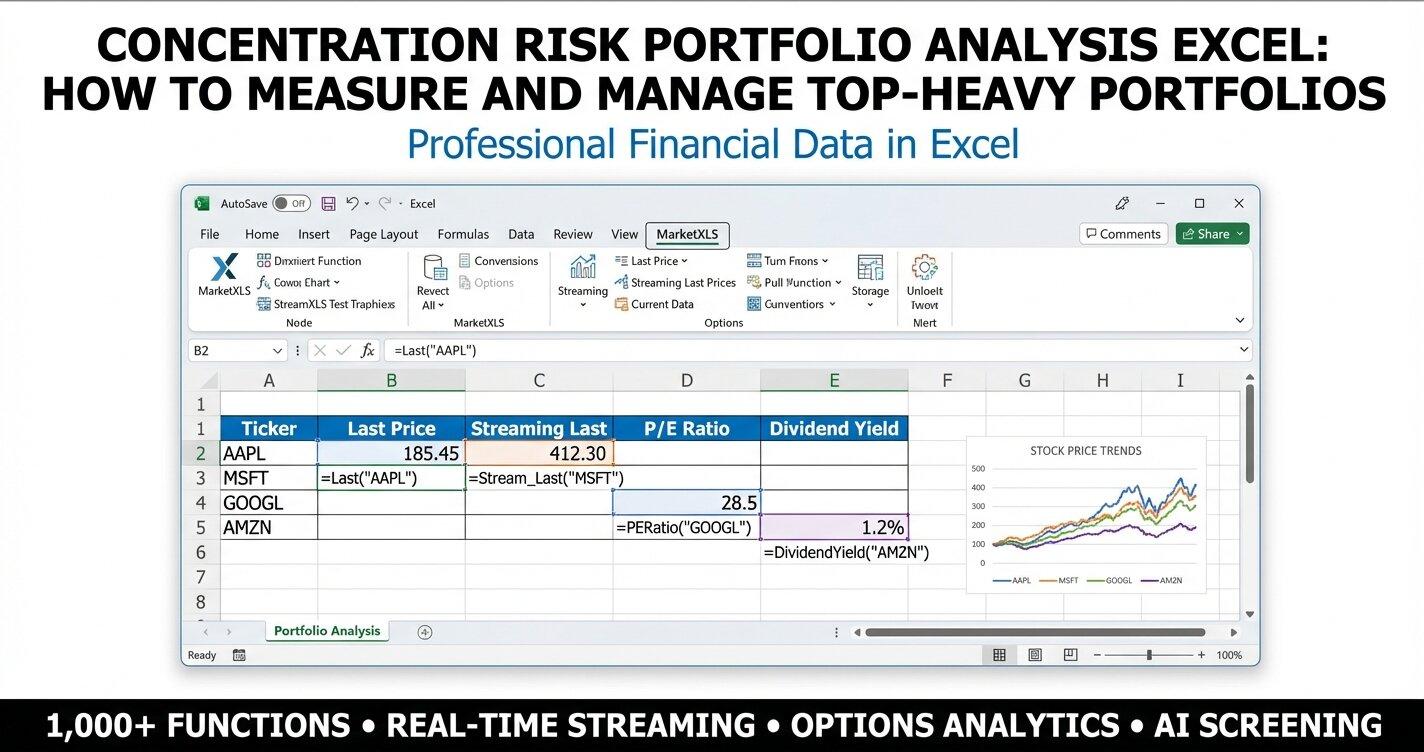
To measure concentration risk in Excel, calculate each holding's weight, then compute the Herfindahl-Hirschman Index (HHI) as the sum of squared weights (=SUMPRODUCT(weights^2) with weights in percent) and the effective number of stocks as 10,000 divided by the HHI. An HHI above 2,500 signals a top-heavy portfolio. Add a sector breakdown with =Sector("AAPL") and weighted beta with =Beta("AAPL") to see where the risk clusters.
This matters for anyone holding an S&P 500 fund or a few mega-cap stocks: as of March 2026, the top 10 S&P 500 stocks made up roughly 37% of the index (estimate). This guide shows how to build the analysis with MarketXLS formulas, run rebalancing scenarios, and download two templates (one pre-filled, one with live formulas).
Why Concentration Risk Matters More Than Ever
| Metric | March 2026 (Est.) | March 2020 | March 2015 |
|---|---|---|---|
| Top 5 S&P 500 Weight | ~27.8% | ~20.1% | ~12.8% |
| Top 10 S&P 500 Weight | ~36.9% | ~27.5% | ~17.6% |
| Technology Sector Weight | ~32% | ~27% | ~20% |
| Effective Number of Stocks (HHI-based) | ~45 | ~65 | ~95 |
The numbers tell a stark story. An investor who owns an S&P 500 index fund today has roughly 28% of their capital in just five companies — Apple, Microsoft, NVIDIA, Amazon, and Alphabet. If those five stocks drop 20%, the entire portfolio loses more than 5.5% even if every other stock stays flat.
In the 2022 tech selloff, mega-cap technology stocks fell sharply and cap-weighted index funds lost more than equal-weight alternatives. The Invesco S&P 500 Equal Weight ETF (RSP) outperformed SPY that year.
What Is Concentration Risk?
Concentration risk is the potential for outsized losses when a portfolio has too much exposure to a single stock, sector, or correlated group of assets. It manifests in several forms:
- Single-stock concentration: One holding dominates portfolio value
- Sector concentration: Multiple holdings cluster in the same industry
- Factor concentration: Holdings share common risk factors (e.g., high beta, growth orientation)
- Geographic concentration: Overexposure to one country or region
The challenge is that concentration builds silently. A diversified portfolio can become concentrated simply through differential price appreciation — the winners grow and take up more space, while the laggards shrink. This is exactly what happened with the "Magnificent Seven" stocks over 2023-2025.
How to Measure Concentration Risk in Excel
The Herfindahl-Hirschman Index (HHI)
The HHI is the standard single-number measure of concentration. It was developed for antitrust analysis and applies directly to portfolio weights:
HHI = Σ(wi²)
Where wi is each holding's weight as a percentage. The HHI ranges from near zero (perfectly diversified) to 10,000 (single stock). General guidelines:
| HHI Range | Interpretation |
|---|---|
| 0 – 1,500 | Low concentration (well-diversified) |
| 1,500 – 2,500 | Moderate concentration |
| 2,500+ | High concentration (top-heavy) |
For a perfectly equal-weight portfolio of 10 stocks, the HHI would be 10 × (10²) = 1,000. For the current S&P 500 top 10, the HHI is significantly higher due to the outsized weight of mega-caps.
Effective Number of Stocks
A companion metric derived from the HHI is the Effective Number of Stocks:
Effective N = 10,000 / HHI
This tells you how many equally-weighted stocks your portfolio "behaves like." A 500-stock index with an HHI of 222 has an Effective N of about 45 — meaning the concentration pattern makes it behave more like a 45-stock equal-weight portfolio than a 500-stock one.
Building the Analysis with MarketXLS
MarketXLS provides the live data foundation for this analysis. Here are the key formulas you will use:
Current Price:
=Last("AAPL")
Formula documentation: Last
Market Capitalization:
=MarketCapitalization("AAPL")
Formula documentation: MarketCapitalization
This returns the full market cap in dollars, which you can divide by 1,000,000,000 to get billions for readability.
Valuation Metrics:
=PERatio("AAPL")
=PriceToBook("AAPL")
=PriceToSales("AAPL")
Formula documentation: PERatio, PriceToBook, PriceToSales
Risk Metrics:
=Beta("AAPL")
=FiftyTwoWeekHigh("AAPL")
=PercentBelowFiftyTwoWeekHigh("AAPL")
Formula documentation: Beta, FiftyTwoWeekHigh, PercentBelowFiftyTwoWeekHigh
Sector Classification:
=Sector("AAPL")
Formula documentation: Sector
Income Analysis:
=DividendYield("AAPL")
=DividendPerShare("AAPL")
Formula documentation: DividendYield, DividendPerShare
Profitability:
=ReturnOnEquity("AAPL")
=NetProfitMargin("AAPL")
=OperatingMargin("AAPL")
Formula documentation: ReturnOnEquity, OperatingMargin
These formulas pull data directly into your spreadsheet, so there is no manual entry. Stock prices are 15-minute delayed on the Standard plan and real-time on Advanced and Business. The analysis updates when Excel recalculates.
Step-by-Step: Building Your Concentration Risk Dashboard
Step 1: Set Up the Holdings Table
Create a table with your portfolio holdings. For each position, pull in:
| Column | Formula | Purpose |
|---|---|---|
| Price | =Last("AAPL") | Current market price |
| Market Cap | =MarketCapitalization("AAPL")/1e9 | Size in billions |
| Weight % | Position value / Total portfolio | Concentration measure |
| PE Ratio | =PERatio("AAPL") | Valuation check |
| Beta | =Beta("AAPL") | Systematic risk |
| Sector | =Sector("AAPL") | Sector classification |
| Div Yield | =DividendYield("AAPL") | Income contribution |
| 52W High | =FiftyTwoWeekHigh("AAPL") | Proximity to highs |
Step 2: Calculate Concentration Metrics
With the weights established, compute:
HHI:
=SUMPRODUCT(weights^2)
Top 5 Concentration:
=SUM(LARGE(weight_range, {1,2,3,4,5}))
Effective Number of Stocks:
=10000/SUMPRODUCT(weights^2)
Weighted Portfolio Beta:
=SUMPRODUCT(weights, betas)/SUM(weights)
Step 3: Sector Overlap Analysis
One of the most insidious forms of concentration is sector overlap. You might think you are diversified across 10 stocks, but if seven of them are in technology, your sector concentration is extreme.
Using =Sector("TICKER") for each holding, you can build a sector summary table and quickly see where your exposure clusters. In the current S&P 500 top 10, technology (including communication services companies like Alphabet and Meta) represents roughly 60% of the weight — a massive sector bet.
Step 4: Rebalancing Scenario Analysis
The most actionable part of the analysis is scenario modeling. What happens to your concentration metrics if you:
- Trim the top 5 by 2% and redistribute to smaller holdings?
- Cap any single position at 5% of portfolio value?
- Move to equal weight across all holdings?
- Adopt risk parity weighting (inverse-beta)?
- Use a 60/40 blend of cap-weight and equal-weight?
Each scenario produces different HHI, beta, and sector exposure outcomes. Building this in Excel lets you compare trade-offs before executing any trades.
For example, capping every position at 5% sharply lowers the HHI of a top-heavy portfolio. However, it also means selling your biggest winners, which may have tax implications.
Understanding the Template Structure
Our downloadable templates follow a six-sheet structure designed for comprehensive analysis:
Sheet 1: How To Use
A tutorial sheet explaining each tab, the formulas used, and how to customize the analysis for your own portfolio. Includes links to MarketXLS and the MarketXLS demo page.
Sheet 2: Main Dashboard
The core analysis hub. Enter your portfolio value in the yellow input cell, and the dashboard populates with:
- All 10 holdings with live price, market cap, PE, beta, dividend yield, and 52-week high data
- Concentration metrics: HHI, Top 5 weight, Effective Number of Stocks
- Weighted portfolio beta
- Color-coded risk flags
Key MarketXLS formulas on this sheet:
=Last("AAPL")                         → Current price
=MarketCapitalization("AAPL")          → Market cap
=PERatio("AAPL")                       → PE ratio
=Beta("AAPL")                          → Stock beta
=DividendYield("AAPL")                 → Dividend yield
=FiftyTwoWeekHigh("AAPL")             → 52-week high
=PercentBelowFiftyTwoWeekHigh("AAPL") → Distance from 52W high
Formula documentation: Last, MarketCapitalization, PERatio, Beta, DividendYield, FiftyTwoWeekHigh, PercentBelowFiftyTwoWeekHigh
Sheet 3: Scenario Analysis
Seven rebalancing scenarios compared side by side: Current, Trim 2%, Trim 5%, Trim 10%, Equal Weight, 60/40 Blend, and Risk Parity. Each scenario shows the resulting HHI, Top 5 weight, effective number of stocks, weighted beta, and maximum single-position weight.
Sheet 4: Strategy / Rebalancing
A practical rebalancing worksheet. Set your maximum allowable single-position weight (default: 5%), and the sheet calculates exactly how many shares to trim or add for each holding. Color-coded TRIM/HOLD signals make it immediately actionable.
Sheet 5: Portfolio Allocation
Position sizing with sector concentration analysis. Shows position values, share counts, and projected dividend income. Includes a sector summary table with OVERWEIGHT/NEUTRAL/UNDERWEIGHT assessments.
Sheet 6: Correlation Matrix
A cross-holding comparison table showing PE, beta, ROE, dividend yield, and price-to-book for each position. Includes a sector overlap matrix that highlights which holdings share the same sector — a visual map of correlated risk.
Rebalancing Strategies for Concentrated Portfolios
Strategy 1: Hard Cap Approach
Set a maximum weight for any single position (e.g., 5%) and trim anything above it. This is the simplest approach and is used by many equal-weight ETFs.
Pros: Simple, systematic, reduces tail risk Cons: Forces selling winners, potential tax drag, constant rebalancing needed
Strategy 2: Graduated Trimming
Instead of a hard cap, trim positions gradually as they exceed thresholds:
- Above 5%: Trim 10% of excess
- Above 7%: Trim 25% of excess
- Above 10%: Trim 50% of excess
This lets winners run while slowly reducing concentration.
Strategy 3: Sector-Based Rebalancing
Rather than capping individual stocks, cap sector exposure at a maximum percentage (e.g., 30%). This allows size variation within sectors while preventing sector concentration.
Strategy 4: Risk Parity Weighting
Weight holdings by the inverse of their beta (or volatility). Lower-risk stocks get higher weights, higher-risk stocks get lower weights. This tends to produce more balanced risk contribution across holdings.
Risk Parity Weight = (1/Beta) / SUM(1/All Betas)
Using =Beta("AAPL") from MarketXLS, you can calculate risk parity weights that update in real time.
Strategy 5: Core-Satellite Approach
Keep 60-70% in a broad, equal-weight core and allocate 30-40% to concentrated satellite positions. This caps your maximum concentration while still allowing conviction bets.
Real-Time Monitoring with MarketXLS
A MarketXLS-based concentration spreadsheet refreshes its prices and fundamentals from formulas instead of manual entry. Once it is set up:
- Daily monitoring: Open the file and all data refreshes automatically
- Alert conditions: Use conditional formatting to flag when HHI exceeds your threshold
- Streaming prices: Use
=QM_Stream_Last("AAPL")for streaming price updates during market hours (real-time streaming requires the Advanced or Business plan) - Historical context: Use
=QM_GetHistory("AAPL")to analyze how concentration has changed over time
For advisors managing multiple client portfolios, you can duplicate the template for each client and customize the holdings list. Every portfolio gets the same rigorous concentration analysis.
Setting Up Conditional Alerts
Create visual alerts in Excel using conditional formatting:
- HHI > 2,500: Red background — high concentration warning
- Single position > 10%: Red text — individual position alert
- Sector weight > 30%: Orange highlight — sector concentration flag
- Beta > 1.5: Yellow flag — elevated systematic risk
These visual cues make it impossible to miss emerging concentration problems.
How Mega-Cap Concentration Affects Different Portfolio Types
Index Fund Investors
If you own SPY, VOO, or any S&P 500 index fund, you already have significant concentration risk. The top 10 holdings make up roughly 37% of your portfolio. This is a feature of cap-weighting, not a bug — but it means your "diversified" index fund is heavily dependent on a handful of mega-cap tech stocks.
Analysis approach: Compare your index fund's effective number of stocks to an equal-weight alternative. If the gap is large, consider supplementing with RSP (equal-weight S&P 500) or mid-cap exposure.
Financial Advisors with Model Portfolios
Advisors often build model portfolios using a mix of individual stocks and ETFs. Concentration risk can hide in overlapping ETF holdings — for example, owning both QQQ and a technology sector ETF creates hidden concentration.
Analysis approach: Look through ETF holdings to calculate true single-stock exposure. Use MarketXLS to pull individual stock data and build a consolidated view.
Self-Directed Investors
Active stock pickers often develop concentrated portfolios naturally — their conviction picks appreciate and become outsized positions. This is the classic "let your winners run" approach, but it creates concentration risk.
Analysis approach: Track your portfolio's HHI over time. Set personal rules for when to trim (e.g., no single position above 8%, no sector above 25%).
Common Concentration Risk Mistakes
Mistake 1: Ignoring Correlation Within Sectors
Owning Apple, Microsoft, and NVIDIA feels like three separate positions, but they are all large-cap technology companies with significant revenue overlap in AI, cloud, and consumer devices. During a tech selloff, they tend to fall together.
Mistake 2: Confusing Number of Holdings with Diversification
A portfolio of 50 stocks can be more concentrated than one with 20, if those 50 stocks are heavily skewed toward a few positions. The HHI captures this nuance — use it instead of simply counting positions.
Mistake 3: Not Accounting for External Exposure
Your brokerage portfolio might be well-diversified, but if your 401(k) is 100% in a target-date fund that is 65% equities (heavily US large-cap), your total exposure may be concentrated. Aggregate all accounts for the full picture.
Mistake 4: Rebalancing Too Infrequently
Concentration builds between rebalancing events. If you rebalance annually, a stock that doubles in six months can grow from a 5% position to a 10% position before you address it. Quarterly or threshold-based rebalancing catches drift earlier.
Download the Templates
We have built two Excel templates to help you implement this concentration risk analysis immediately:
Download the templates:
- — Pre-filled with current data for the top 10 S&P 500 holdings. Includes formula references so you can see which MarketXLS functions power each data point.
- — Live-updating formulas that refresh automatically with the MarketXLS Excel add-in. Every data cell uses a MarketXLS formula — no manual data entry required.
Both templates include all six sheets: How To Use, Main Dashboard, Scenario Analysis, Strategy/Rebalancing, Portfolio Allocation, and Correlation Matrix. The MarketXLS formula version requires an active MarketXLS subscription to pull live data.
Frequently Asked Questions
What is concentration risk in a stock portfolio?
Concentration risk is the potential for disproportionate losses when too much of a portfolio's value is tied to a small number of stocks, a single sector, or correlated assets. It increases when individual positions grow through price appreciation without rebalancing. The Herfindahl-Hirschman Index (HHI) is the standard quantitative measure — an HHI above 2,500 generally indicates high concentration.
How do I calculate the Herfindahl-Hirschman Index for my portfolio in Excel?
Calculate each holding's portfolio weight as a percentage, square each weight, and sum the squares. In Excel: =SUMPRODUCT(weights^2) where the weights range contains your position weights. An HHI of 1,000 means equal weighting across 10 positions. The S&P 500's current HHI (based on the top 10 holdings alone) suggests an effective portfolio of roughly 45 stocks rather than 500.
What is a safe concentration level for a diversified portfolio?
There is no universal "safe" level, as it depends on your risk tolerance, investment horizon, and goals. General guidelines suggest keeping the HHI below 1,500 for a well-diversified portfolio. Many financial advisors recommend capping any single position at 5-10% and any single sector at 20-30% of total portfolio value. The key is to be intentional about your concentration level rather than letting it happen passively.
How often should I check portfolio concentration?
Monthly monitoring is a good baseline for most investors. If you have concentrated positions or volatile holdings, weekly or threshold-based monitoring (e.g., check whenever any position crosses 8% of the portfolio) is more appropriate. With MarketXLS formulas in your Excel spreadsheet, the data updates every time you open the file, so regular monitoring takes little extra work.
Does the equal-weight approach always reduce concentration risk?
Equal weighting eliminates concentration by definition — every position has the same weight. However, it introduces other trade-offs: higher turnover (frequent rebalancing needed), potentially higher transaction costs, and a tilt toward smaller-cap stocks. Equal weighting also means giving the same allocation to your highest-conviction idea and your lowest, which some investors find suboptimal. A blended approach (partial equal-weight) often provides a practical middle ground.
How can MarketXLS help with ongoing concentration monitoring?
MarketXLS pulls market data directly into Excel through formulas like =Last("AAPL") for prices, =MarketCapitalization("AAPL") for market cap, =Beta("AAPL") for risk metrics, and =Sector("AAPL") for classification. Once you build your concentration dashboard with these formulas, it updates when Excel recalculates, with no manual data entry or copy-pasting from financial websites. Visit MarketXLS to learn more, or book a demo to see the platform in action.
The Bottom Line
Concentration risk is one of the most underappreciated risks in portfolio management. In an era where a handful of mega-cap technology stocks dominate major indices, passively managed portfolios can accumulate dangerous levels of concentration without any deliberate action on the investor's part.
The good news is that measuring and managing concentration risk is straightforward with the right tools. The HHI, effective number of stocks, and sector overlap analysis provide clear, quantitative signals. Rebalancing strategies — from hard caps to risk parity — offer practical ways to address excess concentration.
Building the analysis in Excel with MarketXLS formulas keeps the concentration metrics current without manual data updates.
Download the templates above to get started, or book a demo to see the formulas in action.
Disclaimer: This content is for educational and informational purposes only. It does not constitute investment advice, a recommendation, or a solicitation to buy or sell any securities. Past performance does not guarantee future results. Always consult with a qualified financial advisor before making investment decisions.
