
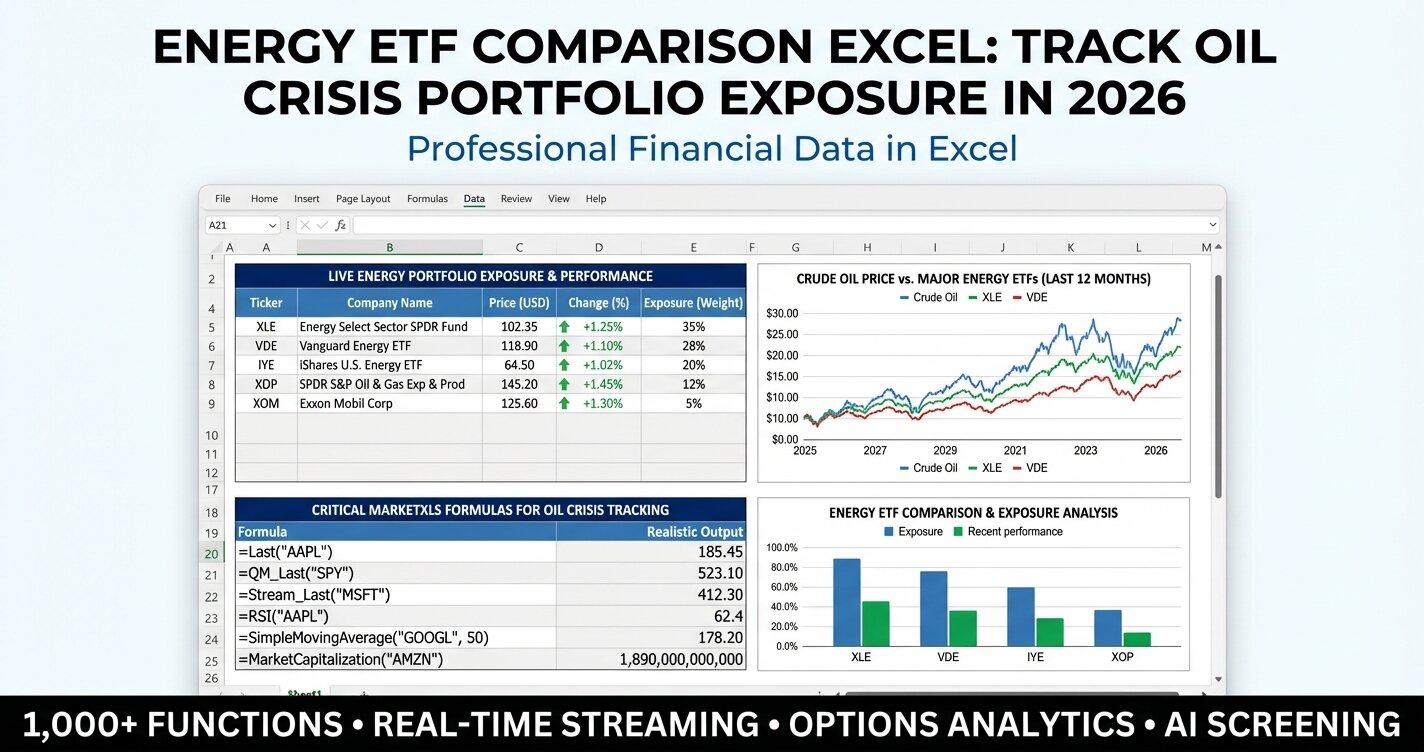
Energy ETF comparison excel tools have become essential for every serious investor navigating the current oil crisis. With crude oil prices surging above $100 per barrel, the Strait of Hormuz closed for the fifth consecutive week, and geopolitical tensions reshaping global energy markets, having a structured Excel-based system to compare energy ETFs side by side is no longer optional. Whether you manage a diversified portfolio or focus exclusively on energy sector plays, the ability to pull live data, run scenario analyses, and rank ETFs by key metrics directly inside Excel gives you a decisive edge. In this guide, we walk through a complete energy ETF comparison framework built with MarketXLS formulas, covering five of the most widely held energy ETFs: XLE, VDE, XOP, IXC, and AMLP.
Quick Comparison: Five Major Energy ETFs at a Glance
Before diving into the details, here is a high-level snapshot of the five energy ETFs covered in our Excel comparison template. This table is designed to give you a rapid overview of pricing, returns, yield, cost, and risk characteristics.
| Metric | XLE | VDE | XOP | IXC | AMLP |
|---|---|---|---|---|---|
| Approximate Price | $105 | $140 | $175 | $52 | $52 |
| YTD Return | +28% | +26% | +35% | +22% | +18% |
| Dividend Yield (TTM) | 3.1% | 2.8% | 1.5% | 3.5% | 7.2% |
| Expense Ratio | 0.09% | 0.10% | 0.35% | 0.40% | 0.85% |
| Beta | 1.10 | 1.05 | 1.40 | 0.90 | 0.80 |
| RSI (14-day) | 68 | 65 | 72 | 60 | 55 |
This snapshot captures conditions as of late March 2026. For live, auto-updating values inside Excel, every cell above can be replaced with a single MarketXLS function call.
The Oil Crisis Context: Why Energy ETF Tracking Matters Now
The current geopolitical landscape has fundamentally altered the energy sector. Five weeks into the Iran conflict, the closure of the Strait of Hormuz has removed approximately 20% of the world's daily oil transit capacity from global markets. Brent crude has remained stubbornly above $100 per barrel, and West Texas Intermediate has followed closely behind.
For investors, this environment creates both extraordinary opportunity and elevated risk. Energy ETFs have been among the top-performing asset classes year to date, but the concentration of gains varies dramatically depending on which fund you hold. An exploration-and-production-heavy ETF like XOP behaves very differently from an MLP-focused fund like AMLP during a supply disruption event.
Building a structured energy ETF comparison excel workbook lets you monitor these differences in real time, adjust allocations as conditions change, and avoid the blind spots that come with checking one fund at a time on a brokerage website.
ETF Deep Dives: Understanding What You Are Comparing
XLE - Energy Select Sector SPDR Fund
XLE is the benchmark energy ETF for most investors. It tracks the Energy Select Sector Index, which includes large-cap U.S. energy companies drawn from the S&P 500. Top holdings typically include ExxonMobil, Chevron, and ConocoPhillips. Because it is market-cap weighted, XLE skews heavily toward integrated oil majors and large exploration-and-production firms.
With a beta of approximately 1.10, XLE tends to amplify broad market moves by a modest amount. Its expense ratio of 0.09% makes it one of the cheapest ways to gain energy sector exposure. The dividend yield around 3.1% provides a meaningful income component, particularly during periods when oil prices support elevated cash flows at major producers.
XLE is best suited for investors seeking core energy exposure with reasonable diversification, low cost, and adequate liquidity.
VDE - Vanguard Energy ETF
VDE tracks the MSCI US Investable Market Energy 25/50 Index and offers broader coverage than XLE by including mid-cap and small-cap energy companies alongside the large-cap names. The fund holds over 100 stocks compared to XLE's more concentrated portfolio.
The expense ratio of 0.10% is nearly identical to XLE, and the beta of 1.05 suggests slightly less volatility relative to the broader market. Dividend yield comes in around 2.8%. VDE tends to track XLE closely in most environments but can diverge during periods when smaller energy companies outperform or underperform the mega-caps.
VDE is a strong choice for investors who want slightly broader energy coverage without significantly increasing cost or risk.
XOP - SPDR S&P Oil and Gas Exploration and Production ETF
XOP is the high-beta play in this comparison. Unlike XLE and VDE, XOP uses an equal-weight methodology, which means smaller exploration-and-production companies carry the same portfolio influence as larger ones. This structural choice amplifies both upside and downside.
With a beta of 1.40, XOP is significantly more volatile than the other funds on this list. Its year-to-date return of approximately 35% reflects the outsized benefit that E&P companies receive from elevated oil prices. However, the dividend yield of just 1.5% and the expense ratio of 0.35% mean you are paying more and receiving less income compared to the broader energy ETFs.
XOP is best suited for investors with higher risk tolerance who want maximum exposure to oil price movements. During a sustained supply disruption like the current Hormuz closure, XOP tends to outperform. During price corrections, it tends to fall harder.
IXC - iShares Global Energy ETF
IXC provides global energy exposure by tracking the S&P Global 1200 Energy Sector Index. This means holdings span U.S., European, and emerging market energy companies. You get exposure to names like Shell, TotalEnergies, and BP alongside American producers.
The beta of 0.90 reflects the diversification benefit of holding energy companies across multiple geographies and currencies. The dividend yield of 3.5% is the second-highest in this comparison, and the 0.40% expense ratio is moderate. IXC tends to be less correlated with U.S. equity market swings, which can improve overall portfolio risk-adjusted returns.
IXC suits investors who want energy exposure without concentrating entirely in U.S. markets. During a global supply disruption, the fund benefits from price increases across all geographies while offering some currency diversification.
AMLP - Alerian MLP ETF
AMLP is fundamentally different from the other four ETFs. It tracks master limited partnerships focused on midstream energy infrastructure, including pipelines, storage facilities, and processing plants. MLPs generate revenue from volume-based fees rather than commodity prices directly, which creates a different risk-and-return profile.
The standout feature of AMLP is its 7.2% dividend yield, making it the clear leader for income-focused investors. The beta of 0.80 indicates lower volatility than the broader market. However, the 0.85% expense ratio is the highest in this comparison, reflecting the structural complexity of MLP investing and the associated tax considerations.
AMLP is the right choice for investors prioritizing income generation and willing to accept lower growth potential. During an oil crisis, midstream operators benefit from increased throughput volumes but do not capture the same price-driven upside as E&P companies.
Building the Energy ETF Comparison in Excel with MarketXLS
The real power of an energy ETF comparison excel workbook comes from automating the data. Instead of manually entering prices and metrics, you can use MarketXLS functions to pull live data directly into your spreadsheet. Here are the core formulas you need.
Price and Return Formulas
To pull the current price for any ETF, use:
=QM_Last("XLE")
=QM_Last("VDE")
=QM_Last("XOP")
For year-to-date returns:
=StockReturnYTD("XLE")
=StockReturnYTD("VDE")
Fundamental Metrics
Dividend yield, expense ratio, and total assets are critical for ETF comparison:
=DividendYield("XLE")
=FundExpenseRatio("XLE")
=FundTotalAssets("XLE")
=DividendPerShare("XLE")
Risk and Technical Indicators
Beta, RSI, and moving averages help you assess timing and volatility:
=Beta("XLE")
=RelativeStrengthIndex("XLE")
=SimpleMovingAverage("XLE", 50)
=ExponentialMovingAverage("XLE", 20)
Valuation Metrics
For comparing ETF valuations:
=PERatio("XLE")
=EarningsPerShare("XLE")
Range and Momentum
Track where each ETF sits relative to its 52-week range:
=FiftyTwoWeekHigh("XLE")
=FiftyTwoWeekLow("XLE")
=Fifty_dayMovingAverage("XLE")
=ChangeFrom200_dayMovingAverage("XLE")
By placing these formulas across a row for each ETF, you create a comparison dashboard that updates automatically every time you open the workbook or refresh MarketXLS data. Learn more about using these functions at MarketXLS.
Template Walkthrough: Six Sheets for Complete Analysis
The downloadable Excel templates included with this post contain six purpose-built sheets. Here is what each one does and how to use it effectively.
Sheet 1: How To Use
This introductory sheet explains the workbook structure, identifies which cells are input cells (highlighted in yellow), and provides links to MarketXLS and the MarketXLS demo page. Start here to understand the layout before modifying anything.
Sheet 2: ETF Comparison Dashboard
The core of the workbook. This sheet presents all five energy ETFs in a side-by-side comparison table with 14 metrics per fund: price, YTD return, dividend yield, expense ratio, total assets, beta, RSI, 52-week high and low, 50-day SMA, 20-day EMA, EPS, P/E ratio, and dividend per share.
In the MarketXLS formula version, every data cell contains a live function. In the sample version, static values are displayed alongside the corresponding MarketXLS formula reference so you can see exactly which function populates each cell.
Sheet 3: Scenario Analysis
This sheet lets you model "what if" scenarios for different oil price levels. Enter a current oil price in the yellow input cell, and the sheet calculates estimated ETF price impacts at $80, $120, and $140 per barrel using each fund's beta as a sensitivity multiplier.
The scenario model uses the formula: Estimated Price = Current Price x (1 + Beta x Oil Price Change %). This is a simplified linear approximation, but it gives you a fast directional estimate of how each ETF might respond to different oil price outcomes.
Sheet 4: Strategy Analysis
This sheet generates technical signals for each ETF based on RSI levels, SMA crossover status, and EMA-versus-SMA trend direction. Signals include overbought/oversold warnings from RSI, bullish/bearish readings from price relative to the 50-day SMA, and uptrend/downtrend classifications based on the 20-day EMA versus 50-day SMA.
These signals are not trading recommendations. They are informational tools to help you identify which ETFs may be extended and which may be approaching better entry points.
Sheet 5: Portfolio Allocation
Enter your total portfolio value and a risk tolerance score (1 to 10) in the yellow input cells. The sheet then applies suggested allocation weights to each ETF, calculates the dollar amount per position, and estimates the number of shares you could purchase at current prices.
The base weights (XLE 30%, VDE 25%, XOP 15%, IXC 15%, AMLP 15%) represent a balanced starting point. Adjust them based on your own research, risk parameters, and market outlook.
Sheet 6: Correlation and Comparison
This sheet ranks all five ETFs by YTD performance and provides a risk-versus-reward comparison matrix. The matrix categorizes each fund by risk level, income focus, growth potential, oil price sensitivity, and ideal investor profile.
Use this sheet for quick decision-making when you need to identify which ETF best matches a specific investment objective.
Download the Excel Templates
We have prepared two versions of the complete energy ETF comparison workbook:
Static Version (with MarketXLS formula reference) - Contains sample data as of March 2026 along with the corresponding MarketXLS formula for each cell, so you can see exactly how the live version works before installing MarketXLS.
MarketXLS Formula Version - Contains live MarketXLS formulas in every data cell. Open this workbook with MarketXLS installed, and all values will populate automatically with real-time market data.
Advanced Uses: Extending Your Energy ETF Tracker
Once you have the base comparison workbook running, consider these extensions to deepen your analysis:
Add more ETFs. The same MarketXLS formulas work for any ticker. Consider adding FENY (Fidelity MSCI Energy Index ETF), IYE (iShares U.S. Energy ETF), or individual energy stocks like XOM and CVX to the comparison.
Create historical tracking. Copy the dashboard data into a historical log sheet on a weekly or monthly basis. Over time, you build a proprietary dataset showing how each ETF's metrics evolved through the oil crisis.
Build conditional formatting rules. Highlight cells in green when RSI drops below 30 (potential buying opportunity) or in red when RSI exceeds 70 (potential overbought condition). Excel's conditional formatting combined with live MarketXLS data creates a visual early warning system.
Link to portfolio trackers. If you maintain a separate portfolio tracking workbook, use cell references or MarketXLS functions to connect your energy ETF positions to your overall portfolio view. Visit MarketXLS to explore additional integration options.
Understanding Energy ETF Risk During Supply Disruptions
The current Strait of Hormuz closure has created a specific type of supply-side shock that affects energy ETFs differently based on their underlying holdings. Understanding these dynamics is critical for anyone building an energy ETF comparison excel tracker.
Integrated majors (dominant in XLE and VDE) benefit from higher oil prices but may face operational disruptions if they have assets in or near the conflict zone. Their downstream refining operations can also be squeezed if crude input costs rise faster than product prices.
E&P companies (dominant in XOP) tend to benefit the most directly from higher commodity prices. Their revenue is almost entirely tied to the price they receive for oil and gas production. However, they also carry higher financial and operational leverage, which amplifies losses during price corrections.
Global energy companies (in IXC) offer geographic diversification. European energy companies may benefit from redirected crude flows and LNG demand. However, currency fluctuations can dampen or amplify returns when translated back to U.S. dollars.
Midstream MLPs (in AMLP) benefit from higher throughput volumes as domestic production ramps to fill the gap left by disrupted Middle Eastern supply. Their fee-based revenue model provides more predictable cash flows, but they capture less of the commodity price upside.
By tracking all five ETFs simultaneously in your Excel comparison workbook, you can observe these differences in real time and adjust your allocation accordingly.
Key Technical Levels to Watch
As of late March 2026, several technical levels stand out across the energy ETF complex:
XLE is trading above its 50-day SMA with an RSI of 68, approaching but not yet at overbought territory. The 52-week range of approximately $72 to $112 suggests the current price of $105 is in the upper third of its annual range.
XOP has already crossed into overbought RSI territory at 72. With a 52-week range of $110 to $185, the fund is trading near its highs. Investors using the strategy analysis sheet should note the overbought signal and consider whether position sizing adjustments are warranted.
AMLP shows the most neutral technical picture with an RSI of 55 and a price near the middle of its 52-week range. For income-focused investors, this may represent a more comfortable entry point than the higher-beta alternatives.
Use the =RelativeStrengthIndex() and =SimpleMovingAverage() functions in your MarketXLS workbook to track these levels daily without manual data entry.
Frequently Asked Questions
What is the best energy ETF to hold during an oil supply crisis?
The answer depends on your objectives. XOP tends to deliver the highest returns during sustained oil price increases due to its high beta and E&P focus. However, it also carries the most downside risk if prices reverse. For balanced exposure, XLE offers a lower-cost, lower-volatility option. For income, AMLP leads with its 7%+ dividend yield.
How do I compare energy ETFs in Excel without manual data entry?
Using MarketXLS formulas, you can pull live price, return, yield, risk, and technical data for any ETF directly into Excel cells. Functions like =QM_Last("XLE"), =DividendYield("XLE"), and =Beta("XLE") automatically populate with current data each time you open or refresh the workbook.
What does the RSI tell me about an energy ETF?
The Relative Strength Index (RSI) measures momentum on a scale of 0 to 100. Readings above 70 suggest the ETF may be overbought and due for a pullback. Readings below 30 suggest it may be oversold and approaching a potential buying opportunity. Use =RelativeStrengthIndex("XLE") in your comparison workbook to track this for each fund.
How does beta affect energy ETF performance during oil price swings?
Beta measures an ETF's sensitivity to market movements. A beta of 1.40 (like XOP) means the fund historically moves 40% more than the benchmark in either direction. During a rising oil market, high-beta ETFs amplify gains. During a falling market, they amplify losses. The scenario analysis sheet in our template uses beta to estimate price impacts at different oil price levels.
Can I add more ETFs to the comparison template?
Yes. The template is designed to be extensible. Simply add a new column (or row, depending on your layout) and enter the same MarketXLS formulas with the new ticker symbol. For example, to add FENY, use =QM_Last("FENY"), =DividendYield("FENY"), and so on.
Is the Strait of Hormuz closure priced into energy ETFs already?
Markets generally price in known events quickly, but the duration and resolution of supply disruptions remain uncertain. If the closure extends beyond current expectations or escalates further, energy ETFs could see additional upside. Conversely, a diplomatic resolution could trigger a sharp correction, particularly in high-beta funds like XOP. Tracking live data through your Excel comparison workbook helps you respond to developments as they unfold.
The Bottom Line
Building an energy ETF comparison excel workbook is one of the most practical steps you can take to navigate the current oil crisis with clarity and confidence. By structuring your analysis across five major energy ETFs and automating data collection with MarketXLS formulas, you eliminate guesswork and gain a systematic view of the energy sector.
The downloadable templates provided in this post give you a ready-made starting point with six purpose-built sheets covering comparison dashboards, scenario modeling, technical strategy signals, portfolio allocation, and cross-fund ranking. Whether you use the static sample version to explore the framework or the live MarketXLS version for real-time tracking, the goal is the same: better-informed decisions during one of the most volatile energy markets in recent history.
Get started with MarketXLS today, or book a demo to see how live market data functions can transform your Excel-based investment analysis.
