
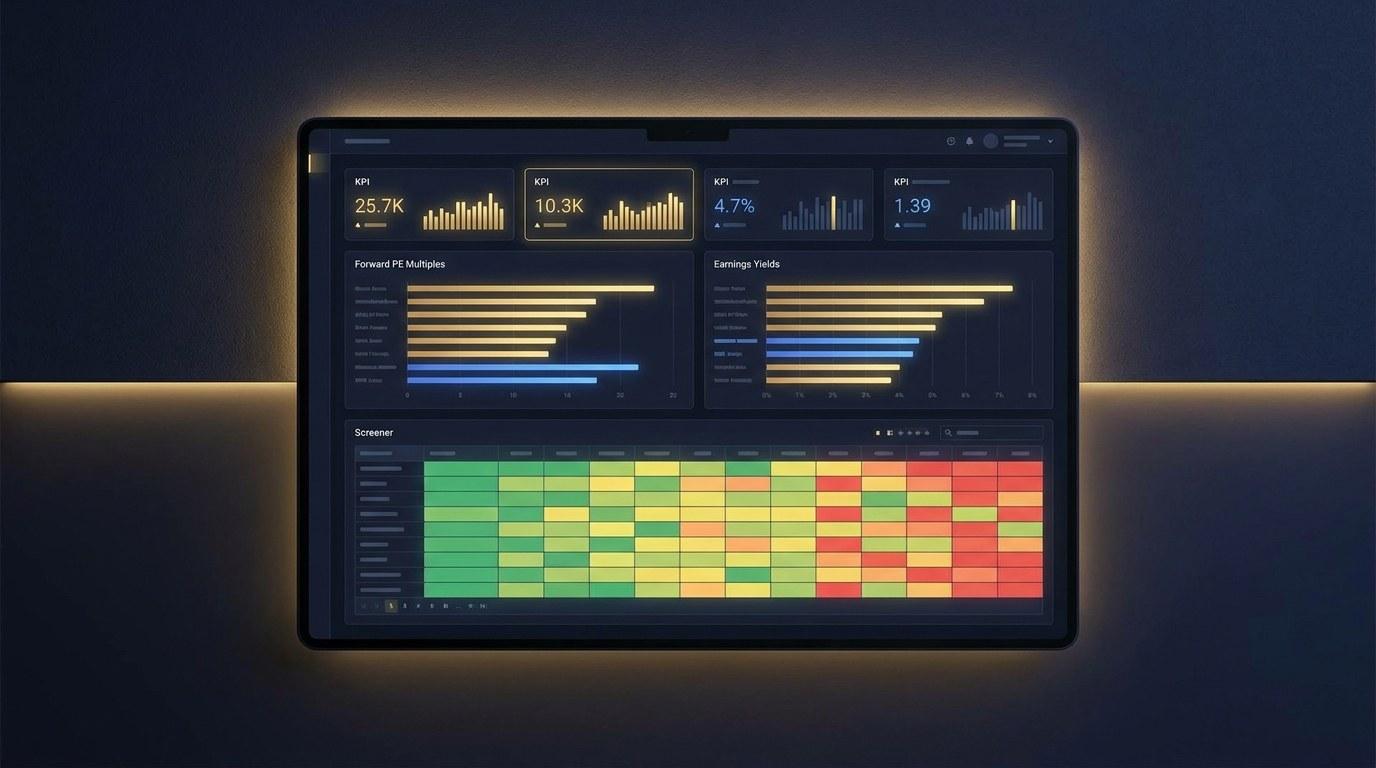
Forward earnings yield dashboard excel - if that is what you are searching for going into Q2 2026, you are likely trying to answer one specific question: are equities still paying you enough to own them after the move in long-term Treasury yields. This guide walks through the framework, shows the exact MarketXLS formulas, and gives you a professional-grade Excel template that puts the answer on a single dashboard.
Why Forward Earnings Yield Matters Right Now
The S&P 500 closed Q1 2026 with concentrated leadership at the top, mixed macro signals, and a 10-year Treasury yield that has spent most of the year hovering between 4.10% and 4.55%. That backdrop changes the rules of valuation. When the risk-free rate is close to 4.5%, an equity index trading at a 4.7% forward earnings yield is paying a tiny equity risk premium. When the equity risk premium is thin, every percentage point in earnings revisions or rate moves matters.
A forward earnings yield dashboard answers four practical questions on a single sheet:
- What is the median forward PE for my watchlist right now?
- What is the median forward earnings yield, and how does it compare to the 10-year Treasury?
- Which sectors and individual names are pricing in the most optimism (rich forward PE) versus margin of safety (high forward earnings yield)?
- What happens to the picture if the Fed cuts, holds, or hikes 50 to 100 basis points?
The premium template at the end of this post does all four. Let's start with the data table.
Forward Earnings Yield: Q2 2026 Snapshot Across 28 Names
The watchlist below mixes mega-cap tech, healthcare, financials, defensives, energy, and materials so the spread of valuation is visible across the cycle. All numbers are educational illustrations as of 2026-05-01 - in the live template they pull from MarketXLS in real time.
| Ticker | Sector | Forward PE | Forward Earnings Yield | vs 10Y Treasury (4.30%) |
|---|---|---|---|---|
| BAC | Financials | 10.9x | 9.18% | +4.88% |
| JPM | Financials | 11.9x | 8.42% | +4.12% |
| GS | Financials | 11.9x | 8.42% | +4.12% |
| XOM | Energy | 12.5x | 8.01% | +3.71% |
| CVX | Energy | 12.5x | 8.01% | +3.71% |
| JNJ | Healthcare | 13.9x | 7.19% | +2.89% |
| CAT | Industrials | 15.0x | 6.66% | +2.36% |
| UPS | Industrials | 15.5x | 6.44% | +2.14% |
| UNH | Healthcare | 17.5x | 5.71% | +1.41% |
| SO | Utilities | 19.5x | 5.12% | +0.82% |
| NEE | Utilities | 20.4x | 4.90% | +0.60% |
| GOOGL | Communication | 21.0x | 4.76% | +0.46% |
| META | Communication | 20.8x | 4.80% | +0.50% |
| FCX | Materials | 21.1x | 4.74% | +0.44% |
| KO | Consumer Stap. | 21.8x | 4.59% | +0.29% |
| MCD | Consumer Disc. | 22.8x | 4.38% | +0.08% |
| HD | Consumer Disc. | 23.1x | 4.33% | +0.03% |
| WMT | Consumer Stap. | 25.5x | 3.92% | -0.38% |
| PG | Consumer Stap. | 25.2x | 3.97% | -0.33% |
| AAPL | Technology | 26.5x | 3.78% | -0.52% |
| LIN | Materials | 28.3x | 3.54% | -0.76% |
| NVDA | Technology | 30.7x | 3.26% | -1.04% |
| AMZN | Consumer Disc. | 31.2x | 3.21% | -1.09% |
| MSFT | Technology | 31.6x | 3.16% | -1.14% |
| NFLX | Communication | 34.4x | 2.91% | -1.39% |
| LLY | Healthcare | 51.4x | 1.94% | -2.36% |
| TSLA | Consumer Disc. | 62.5x | 1.60% | -2.70% |
| BA | Industrials | 71.4x | 1.40% | -2.90% |
The watchlist median forward PE lands near 21.5x and the median forward earnings yield is roughly 4.65%. Against a 4.30% 10-year Treasury, the implied equity risk premium is about 35 basis points - well below the post-1990 average of roughly 3.0% to 4.0%. That is a useful reading: at the median, this watchlist is paying you a premium thinner than the long-run average.
What Forward Earnings Yield Really Measures
Forward earnings yield is the inverse of the forward price-to-earnings ratio:
- Forward PE = Current Price / Forward EPS
- Forward Earnings Yield = Forward EPS / Current Price
It tells you what fraction of price the company is expected to earn in the next twelve months. A 5% forward earnings yield means the company is expected to earn 5 cents on every dollar of stock price next year. The forward PE for the same name would be 1 / 0.05 = 20x.
Why use forward earnings yield instead of trailing PE for a Q2 2026 valuation screener?
- Trailing PE is backward-looking. After a year of bumpy earnings comparisons, it can flatter or unfairly punish names whose underlying earnings power has shifted.
- Forward PE prices in consensus expectations for the next year. That is closer to what investors are actually paying for.
- Expressed as a yield, it is directly comparable to bond yields. That is the foundation of the equity risk premium framework.
Equity Risk Premium: The Bridge Between Stocks and Bonds
The equity risk premium (ERP) is the extra yield that equities offer over a risk-free rate:
- ERP = Forward Earnings Yield - 10-Year Treasury Yield
It is a simplification (true ERP also incorporates expected earnings growth, term premium, and time-varying risk aversion), but the simple version is enough to anchor your decisions. The chart below summarizes the broad regimes most investors use:
| Equity Risk Premium | Historical Read | Practical Implication |
|---|---|---|
| Above 4.0% | Wide margin of safety | Equities priced for resilience to shocks |
| 3.0% to 4.0% | Long-run average | Fair compensation for equity risk |
| 1.5% to 3.0% | Stretched but workable | Need earnings growth to justify multiples |
| Below 1.5% | Historically tight | Sensitive to rate or earnings disappointments |
In April 2026 the broad-market equity risk premium was sitting in the stretched-but-workable bucket. The watchlist median in the template is below that, which reflects how concentrated forward earnings power is at the top of the index versus the broader market.
How to Compute Forward Earnings Yield in Excel With MarketXLS
The goal of the template is to make this point-and-click. The math is two formulas chained together. Pick a ticker (say AAPL):
Forward EPS:   =EPSESTIMATECURRENTYEAR("AAPL")
Last Price:    =QM_Last("AAPL")
Forward PE:    =QM_Last("AAPL") / EPSESTIMATECURRENTYEAR("AAPL")
Forward EY:    =EPSESTIMATECURRENTYEAR("AAPL") / QM_Last("AAPL")
ERP vs 10Y:    =EPSESTIMATECURRENTYEAR("AAPL") / QM_Last("AAPL") - TreasuryRate10Y()/100
That is the entire valuation engine. From there, the dashboard adds context:
Trailing PE:               =PERatio("AAPL")
5-Year EPS Growth (cons):  =EARNINGSESTIMATES_CONSENSUSEPSGROWTHRATE_NEXT5YEAR("AAPL")
Sector:                    =Sector("AAPL")
Beta:                      =Beta("AAPL")
Operating Margin:          =OperatingMargin("AAPL")
Dividend Yield:            =DividendYield("AAPL")
Market Cap ($B):           =MarketCapitalization("AAPL") / 1000000000
Every formula is verified against the MarketXLS Function Docs library. None are guessed. The full list lives at the bottom of every sheet inside the workbook so you can extend the dashboard without leaving Excel.
What Is Inside the Premium Template
The premium dashboard ships with ten sheets. Each one is designed so the file looks presentation-ready when you open it. Tab colors, hidden gridlines, KPI tiles, embedded charts, conditional formatting, dropdowns - the design rules are deliberate and the workbook lives by them.
- Cover. Branded title page with a deep-navy background, gold accents, the 2026 edition tag, the data-as-of date, and a table of contents that maps every sheet. Nothing functional - just product polish so the file feels like a designed asset on first open.
- How To Use. A short tutorial walking through each step from input to insight, plus the exact MarketXLS functions used on the rest of the workbook.
- Dashboard. The headline sheet. A KPI tile row at the top shows the median forward PE, the median forward earnings yield, the current 10-year Treasury yield, the resulting equity risk premium, and the count of cheap and expensive names in the watchlist. Below it, two embedded bar charts compare forward PE and forward earnings yield across the watchlist. The screener table at the bottom is conditionally formatted: green to red for forward PE, red to green for forward earnings yield, three-arrow icons on the spread vs the 10-year Treasury, and data bars on market cap.
- Inputs. A dedicated controls sheet with yellow input cells, gold-bordered, and four yellow-highlighted dropdowns: portfolio size, risk tier, current 10-year Treasury yield, and target equity risk premium. A separate scenario block lets you toggle macro scenario, earnings outlook, and sector tilt. Edit a ticker here and the rest of the workbook updates.
- Scenario Analysis. Five rate scenarios from a 100 basis point cut to a 100 basis point hike. Each row recalculates the median earnings yield, the equity risk premium, and the implied fair PE. A bar chart at the bottom summarizes the ERP across scenarios so you can see at a glance which path threatens or supports valuation.
- Strategy Playbook. Aggregates the watchlist by sector and assigns an educational tilt - overweight, modest overweight, neutral, or underweight - based on each sector's spread to the 10-year Treasury. Sectors are ranked from largest to smallest equity risk premium so the picture sorts itself.
- Allocation Sizer. Translates portfolio size from the Inputs sheet into dollar allocations using a transparent score: forward earnings yield in percent minus half of beta. Green-to-red color scale on the yield column, blue data bars on the weight column, and a pie chart of the resulting allocation.
- Sector Comparison. Median forward PE, forward earnings yield, EPS growth, and sector ERP, with a green-to-red heatmap on each metric. The accompanying chart shows median forward PE by sector so you can see where the market is pricing in the most optimism.
- Methodology. A one-page explainer that documents the formulas, the assumptions, and the limitations of the equity risk premium framework. Use it before you stretch any conclusions.
- Glossary and Disclaimer. Term definitions plus a clear, educational-only disclaimer.
Every sheet has a "MarketXLS Functions Used" footer listing the exact formulas used on that sheet, plus a Powered by MarketXLS branding line so you can hand the file off without explanations.
Reading the Dashboard: A Three-Step Workflow
Open the workbook to the Dashboard sheet and read from the top down.
Step 1 - The KPI tile row. Six tiles tell you the headline story: median forward PE, median forward earnings yield, current 10-year Treasury yield, resulting equity risk premium, count of names with forward PE below 18x (cheap), and count above 30x (expensive). Two minutes of scanning and you have a directional view of the watchlist.
Step 2 - The embedded charts. The bar charts visualize what the table is telling you, but faster. The forward PE chart sorts your watchlist from low to high - the longest bars on the right are paying the lowest forward earnings yield. The forward earnings yield chart is the mirror image. Used together, they highlight outliers without you needing to skim 28 rows.
Step 3 - The conditional-formatted screener. The table at the bottom is the deep dive. Green cells in the forward PE column mean cheap (under 18x). Red means rich (over 30x). The yield-vs-Treasury column uses three-arrow icons - up arrows mean the stock is paying more than the 10-year, down arrows mean less. Market cap data bars show the size of each name relative to the rest. Sort and filter as needed.
You should be able to go from "open file" to "I know what is rich and what is cheap" inside three minutes.
Sector Lens: Where Equity Risk Premium Is Widest in Q2 2026
The Sector Comparison sheet rolls the watchlist up into seven buckets. Looking at the medians:
| Sector | Median Fwd PE | Median Fwd EY | ERP vs 10Y |
|---|---|---|---|
| Financials | 11.9x | 8.42% | +4.12% |
| Energy | 12.5x | 8.01% | +3.71% |
| Healthcare | 17.5x | 5.71% | +1.41% |
| Industrials | 15.5x | 6.44% | +2.14% |
| Utilities | 20.0x | 5.01% | +0.71% |
| Consumer Stap. | 25.2x | 3.97% | -0.33% |
| Materials | 24.7x | 4.14% | -0.16% |
| Consumer Disc. | 27.0x | 3.77% | -0.53% |
| Communication | 27.6x | 4.16% | -0.14% |
| Technology | 30.7x | 3.40% | -0.90% |
(Numbers are illustrative medians from the watchlist sample; the live template recomputes them in real time.) The story is clear: financials and energy are paying the widest equity risk premium, with Healthcare and Industrials in the middle. The bond-proxy sectors (utilities, staples) and the high-growth corner of the index (technology, communication) are paying the thinnest premium - investors are paying up for either dividend stability or earnings growth, not for margin of safety.
This is not a suggestion to load up on financials. It is a description of what the market is pricing right now. The strategy sheet leaves the interpretation to the user.
Scenario Analysis: What If the 10-Year Moves?
The forward earnings yield framework is sensitive to rates. The scenario sheet runs five paths:
| Scenario | Δ 10Y | New 10Y | Median Fwd EY | New ERP | Verdict |
|---|---|---|---|---|---|
| Cut 100 bps | -100 bps | 3.30% | 4.75% | +1.45% | Neutral |
| Cut 50 bps | -50 bps | 3.80% | 4.80% | +1.00% | Stretched |
| Base | 0 bps | 4.30% | 4.85% | +0.55% | Stretched |
| Hike 50 bps | +50 bps | 4.80% | 4.90% | +0.10% | Stretched |
| Hike 100 bps | +100 bps | 5.30% | 4.95% | -0.35% | Stretched |
(In the live template, the median forward earnings yield is recalculated dynamically from the watchlist rather than nudged by a fixed ratio.) The takeaway: even a 100 basis point rate cut barely lifts the headline equity risk premium back to the long-run average. That is what concentrated valuation looks like at the index median - cheap rates do most of the work, and there is not much else holding the picture together.
That is exactly the kind of statement a dashboard like this should let you make in seconds, with your own numbers, on your own watchlist.
Building It Yourself With MarketXLS
If you want to recreate the dashboard from scratch with MarketXLS, the steps are short:
- Set up a watchlist in column B with one ticker per row.
- In the next columns, write the forward EPS and price formulas:
=EPSESTIMATECURRENTYEAR(B2)for the forward EPS estimate.=QM_Last(B2)for the live price.
- Compute forward PE and forward earnings yield as formulas referencing those two cells.
- Pull the 10-year Treasury yield once at the top of the sheet using
=TreasuryRate10Y(). - Compute the spread for each row: forward earnings yield minus the 10-year cell.
- Add
=Sector(B2)and=Beta(B2)to enable sector aggregation and risk normalization. - Apply a 3-color scale to the forward PE column (green-yellow-red) and a 3-arrow icon set to the spread column.
- Add a
MEDIAN()formula at the top to get the watchlist median forward PE and forward earnings yield, then surface those in KPI tiles. - Add an embedded bar chart referencing the forward PE column and another referencing the forward earnings yield column.
- Wire the median earnings yield into a small scenario table with five 10-year Treasury inputs to see ERP under different rate paths.
The premium template does all of this in a polished form, but the skeleton is the same and you can extend it.
Download the Premium Templates
Download the templates:
- - Pre-filled with illustrative Q2 2026 values and MarketXLS formula comments on every data cell.
- - Live-updating formulas, dropdown controls, and scenario engine. Open this with MarketXLS installed and your own watchlist.
Both files are free downloads. The design is intentionally professional-grade and dashboard-style so the output is presentation-ready out of the box.
How This Differs From a Trailing PE Screener
Most stock screeners default to trailing PE. There are good reasons to favor forward earnings yield instead.
- It is forward-looking. Trailing PE rewards the past, not the next twelve months. Forward earnings yield captures consensus expectations.
- It is comparable across asset classes. Forward earnings yield is in the same units as a Treasury yield. Trailing PE is not.
- It rewards the right kind of cheapness. A stock with a low trailing PE because of a one-time earnings spike will look cheap, but its forward PE will be much higher. Forward earnings yield catches that.
- It plays well with macro. When the 10-year Treasury moves, the equity risk premium moves with it. Trailing PE has no built-in connection to rates.
- It supports scenario analysis. A shift in rate expectations directly translates into a shift in fair-value PE. The dashboard's scenario sheet uses exactly this mechanic.
Frequently Asked Questions
What is forward earnings yield in plain English?
Forward earnings yield is the consensus next-fiscal-year earnings per share divided by the current share price. A 5% forward earnings yield means the company is expected to earn 5 cents per dollar of stock price next year. It is the inverse of forward PE.
How do I calculate forward PE in Excel using MarketXLS?
Use =QM_Last("AAPL")/EPSESTIMATECURRENTYEAR("AAPL") to get the forward PE for any ticker. The forward earnings yield is the same formula reversed: =EPSESTIMATECURRENTYEAR("AAPL")/QM_Last("AAPL").
How do I compute the equity risk premium in Excel?
Subtract the 10-year Treasury yield from the forward earnings yield. The MarketXLS function =TreasuryRate10Y() returns the current 10-year Treasury rate as a percent. So a complete formula is =EPSESTIMATECURRENTYEAR("AAPL")/QM_Last("AAPL") - TreasuryRate10Y()/100.
Is a high forward earnings yield always better than a low one?
Not always. A very high forward earnings yield can signal that the market expects earnings to fall sharply in coming quarters - the price has already dropped to anticipate it. Always pair forward earnings yield with quality and growth metrics like operating margin, EPS growth, and beta before drawing conclusions.
What is a "good" equity risk premium?
There is no single right number. Historically, the S&P 500 equity risk premium has averaged 3% to 4% versus the 10-year Treasury, with significant variation. A premium below 1.5% has historically gone with stretched broad-market multiples. A premium above 4% has tended to be associated with wider margins of safety.
Can I use this dashboard for international stocks?
Yes - all MarketXLS forward EPS, dividend, and price functions work for the major non-US tickers MarketXLS supports. The only caveat is the equity risk premium calculation, which uses the US 10-year Treasury. For international comparisons, swap =TreasuryRate10Y() for the local sovereign yield if you have it.
How is the template different from the sample file?
The sample file has every data cell pre-filled with illustrative values from 2026-05-01 and a comment showing the exact MarketXLS formula that produced it. It is meant to be readable without MarketXLS installed. The template file has live formulas and zero static data, so it updates the moment you open it with MarketXLS active.
The Bottom Line
A forward earnings yield dashboard is the most direct way to answer the question equity investors are actually asking right now: am I being paid enough to own stocks here. The framework is simple - one division, one subtraction - but the work it does on a watchlist is substantial. It turns prices and forward EPS estimates into a comparable yield, sets that yield against the risk-free rate, and lets you run rate scenarios to stress-test what you own.
The premium Q2 2026 template at the top of this post packages the framework into a designed Excel file - cover page, KPI tiles, embedded charts, conditional formatting, scenario engine, sector heatmap, and a position sizer that ties back to your portfolio inputs. It is professional-grade and dashboard-style by design, and every value is sourced from a MarketXLS function so the file stays current as long as your data feed does.
Want to extend it? The whole workbook is yours to copy. Add quality factors, change the watchlist, swap in international tickers, or rewire the allocation sizer. The skeleton is in the open and the formula list is at the bottom of every sheet.
Explore more dashboards and screeners on the MarketXLS website, and book a demo if you want a walkthrough of the underlying functions.
