

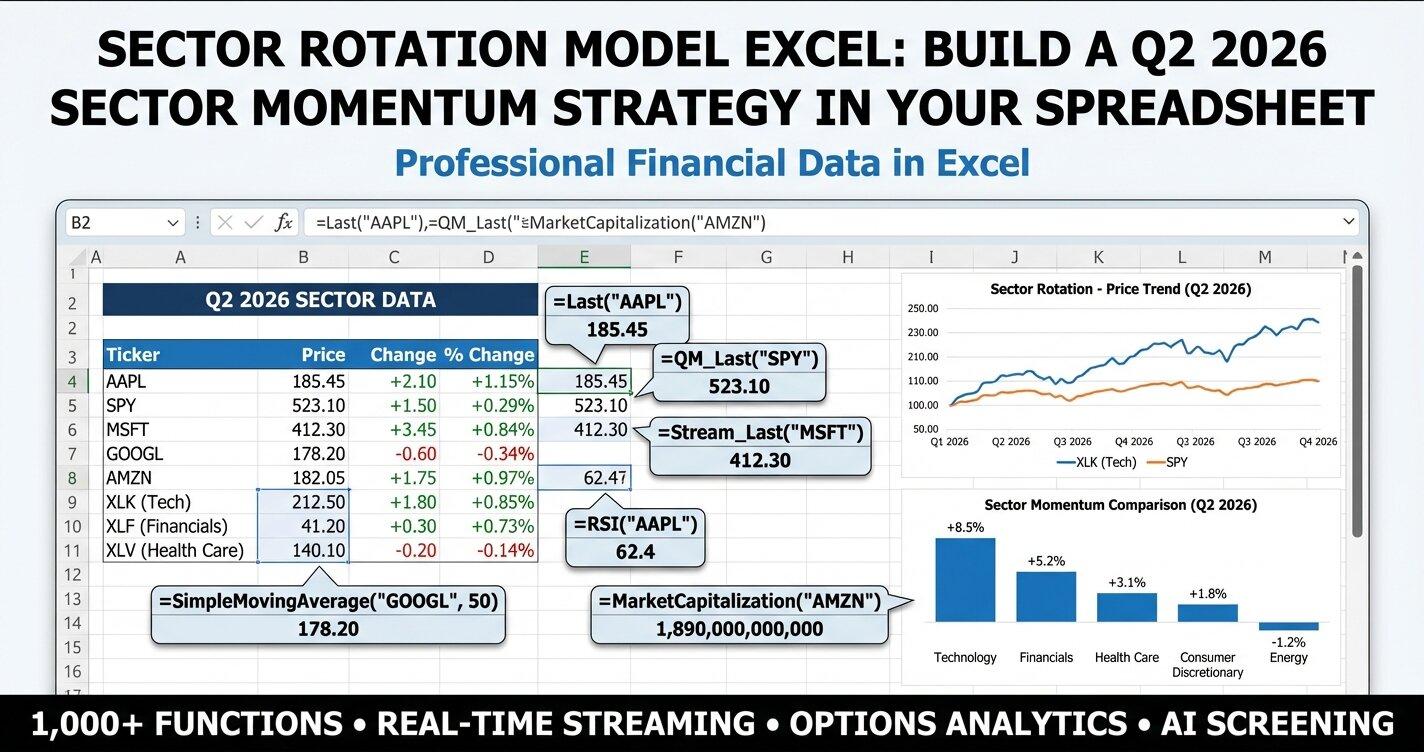
A sector rotation model in Excel scores the 11 SPDR sector ETFs (XLK, XLF, XLE, and so on) on momentum and shifts allocation toward the sectors scoring highest. This model uses three signals per ETF: price versus its 50-day and 200-day simple moving averages, RSI, and quarter-to-date versus one-year returns, all pulled with MarketXLS formulas such as =SimpleMovingAverage("XLK", 50), =RSI("XLK"), and =StockReturnQTD("XLK"). In the snapshot below, taken as Q2 2026 began, Technology, Energy, and Communication Services led on momentum while Utilities and Consumer Staples lagged. This article is educational and is not investment advice.
The market backdrop at the time: the S&P 500 was at 6,528, oil was above $103, and gold was at $4,721. The rest of this guide builds the full model, including momentum scoring and allocation tools.
All 11 Sector ETFs at a Glance
Before diving into methodology, here is a snapshot of every sector ETF entering Q2 2026. This is the foundation of your rotation model:
| ETF | Sector | Price | SMA(50) | SMA(200) | RSI | QTD Return | 1-Yr Return |
|---|---|---|---|---|---|---|---|
| XLK | Technology | $245.82 | $238.50 | $221.30 | 62.4 | 2.91% | 28.45% |
| XLF | Financials | $48.95 | $47.20 | $44.80 | 58.7 | 1.85% | 19.20% |
| XLE | Energy | $102.40 | $98.70 | $91.50 | 67.2 | 4.12% | 21.50% |
| XLV | Healthcare | $152.30 | $149.80 | $143.20 | 54.1 | 0.98% | 12.40% |
| XLY | Consumer Disc | $198.70 | $192.30 | $182.60 | 61.8 | 2.65% | 23.80% |
| XLP | Consumer Staples | $82.15 | $81.40 | $78.90 | 48.3 | 0.52% | 8.90% |
| XLI | Industrials | $128.60 | $125.40 | $118.70 | 59.5 | 2.24% | 19.80% |
| XLU | Utilities | $74.20 | $73.80 | $71.50 | 45.6 | 0.35% | 7.20% |
| XLB | Materials | $92.45 | $90.10 | $86.30 | 56.8 | 1.78% | 15.60% |
| XLRE | Real Estate | $42.80 | $42.10 | $40.60 | 51.2 | 0.82% | 9.80% |
| XLC | Communication Svcs | $88.90 | $86.20 | $80.40 | 63.5 | 3.10% | 26.80% |
Several clear patterns emerge. Technology (XLK), Energy (XLE), and Communication Services (XLC) are leading momentum into Q2. Defensive sectors like Utilities (XLU) and Consumer Staples (XLP) lag significantly. This is exactly the kind of divergence that a sector rotation model is designed to capture and exploit.
Why Sector Rotation Matters in Q2 2026
The transition from Q1 to Q2 is one of the most important rotation windows of the year. Institutional portfolio managers rebalance, tax-loss harvesting from the prior year settles, and new capital flows into sectors with the strongest near-term outlook.
Right now, the macro picture favors cyclical and growth sectors:
- Oil above $103 supports Energy earnings and capex
- Gold at $4,721 signals persistent inflation hedging demand
- Tech rallying on AI infrastructure spending that shows no sign of slowing
- Financials benefiting from a steeper yield curve and strong credit markets
A sector rotation model helps you systematically identify these trends rather than relying on headlines or gut feeling. By combining moving average crossovers, relative strength, and momentum scoring in Excel, you create a repeatable, data-driven process.
Understanding Sector Rotation Methodology
Sector rotation is based on a simple principle: different sectors outperform at different stages of the economic cycle. During early recovery, cyclicals and financials tend to lead. During late-cycle expansion, energy and materials often outperform. In downturns, utilities, healthcare, and consumer staples provide relative safety.
The three core technical signals used in this model are:
1. SMA Crossover Signals
When the 50-day Simple Moving Average crosses above the 200-day SMA, it generates a "golden cross" - a classic bullish signal. The reverse (50-day crossing below 200-day) is a "death cross." In MarketXLS, you pull these directly:
=SimpleMovingAverage("XLK", 50)
=SimpleMovingAverage("XLK", 200)
Formula documentation: SimpleMovingAverage
When price trades above both SMAs and the 50-day is above the 200-day, you have full bullish alignment. This is the strongest trend confirmation for sector rotation.
2. RSI (Relative Strength Index)
RSI measures momentum on a 0-100 scale. Readings above 70 suggest overbought conditions (potential pullback). Readings below 30 suggest oversold conditions (potential bounce). The sweet spot for rotation entries is the 50-70 range, confirming bullish momentum without extreme extension.
=RSI("XLK")
Formula documentation: RSI
3. Relative Return Comparison
Comparing quarter-to-date and one-year returns across sectors reveals which ones are accelerating versus decelerating. A sector with strong QTD returns and strong 1-year returns is in a confirmed uptrend. A sector with weak QTD but strong 1-year returns may be rotating out.
=StockReturnQTD("XLK")
=StockReturnOneYear("XLK")
Formula documentation: StockReturnQTD, StockReturnOneYear
Building Your Sector Rotation Model in Excel
Now let us walk through the actual construction of the model. You can download the ready-made templates below, or follow along to build your own from scratch.
Sheet 1: Sector Dashboard
The dashboard is your command center. It displays all 11 sector ETFs with current MarketXLS data (15-minute delayed on the Standard plan, real-time on Advanced and Business) and a composite momentum score.
Setting up the data grid:
In column A, list each ETF ticker. In column B, list the sector name. Then use MarketXLS formulas to populate the data columns:
| Column | Data | MarketXLS Formula |
|---|---|---|
| C | Current Price | =QM_Last("XLK") |
| D | 50-Day SMA | =SimpleMovingAverage("XLK", 50) |
| E | 200-Day SMA | =SimpleMovingAverage("XLK", 200) |
| F | RSI | =RSI("XLK") |
| G | Beta | =Beta("XLK") |
| H | QTD Return | =StockReturnQTD("XLK") |
| I | 1-Year Return | =StockReturnOneYear("XLK") |
| J | 52-Week High | =FiftyTwoWeekHigh("XLK") |
| K | 52-Week Low | =FiftyTwoWeekLow("XLK") |
The momentum scoring formula:
The composite momentum score (0-100) combines five binary signals, each worth 20 points:
=IF(C5>D5,20,0) + IF(C5>E5,20,0) + IF(AND(F5>50,F5<70),20,0) + IF(H5>0.02,20,0) + IF(I5>0.15,20,0)
This checks:
- Price above SMA(50): +20 points
- Price above SMA(200): +20 points
- RSI in the bullish 50-70 zone: +20 points
- QTD return exceeding 2%: +20 points
- 1-year return exceeding 15%: +20 points
A score of 80-100 signals a sector with strong across-the-board momentum. Scores below 40 indicate a sector that is lagging on most dimensions.
Sheet 2: Scenario Analysis
The scenario analysis sheet models three possible market environments for Q2 2026:
- Bull case (+15%): Continued rally driven by AI capex, strong earnings, and accommodative policy
- Base case (+5%): Moderate gains as the rally matures with some sector rotation
- Bear case (-10%): Pullback driven by inflation surprise, geopolitical risk, or earnings disappointment
For each sector, the model calculates target prices under each scenario and maps recommended allocation weights:
=QM_Last("XLK") * 1.15   // Bull target
=QM_Last("XLK") * 1.05   // Base target
=QM_Last("XLK") * 0.90   // Bear target
Formula documentation: QM_Last
The allocation columns (highlighted in yellow) are input cells where you adjust weights based on your market outlook. In the bull scenario, you might overweight Technology at 15% and Energy at 12%. In the bear scenario, you would shift toward Healthcare at 12% and Consumer Staples at 14%.
This kind of what-if analysis is essential for preparation. Rather than reacting emotionally when markets move, you already have a plan for each scenario.
Sheet 3: Rotation Strategy
This sheet generates actionable entry and exit signals for each sector based on the technical indicators from the dashboard.
SMA Signal Logic:
=IF(AND(C5>D5, D5>E5), "BULLISH", IF(AND(C5<D5, D5<E5), "BEARISH", "NEUTRAL"))
When price, SMA(50), and SMA(200) are in perfect ascending order, the signal is BULLISH. When they are in descending order, BEARISH. Everything in between is NEUTRAL.
RSI Signal Logic:
=IF(F5>70, "OVERBOUGHT", IF(F5<30, "OVERSOLD", IF(F5>50, "BULLISH", "BEARISH")))
Combined Signal:
The overall signal merges both:
=IF(AND(G5="BULLISH", H5="BULLISH"), "STRONG BUY",
  IF(AND(G5="BEARISH", H5="BEARISH"), "STRONG SELL",
    IF(OR(G5="BULLISH", H5="BULLISH"), "BUY", "HOLD")))
Entering Q2 2026, the model generates STRONG BUY signals for XLK (Technology), XLE (Energy), and XLC (Communication Services) - all three have bullish SMA alignment and RSI in the bullish zone. XLU (Utilities) and XLP (Consumer Staples) show HOLD signals with neutral SMA patterns and sub-50 RSI readings.
Recommended Actions:
| Signal | Action |
|---|---|
| STRONG BUY | Overweight - Add to position |
| BUY | Market Weight - Hold or add on dips |
| HOLD | Market Weight - Monitor for changes |
| STRONG SELL | Underweight - Reduce exposure |
Sheet 4: Portfolio Allocation
This sheet translates momentum scores into actual dollar amounts and share counts. It starts with a single input cell (highlighted in yellow) where you enter your total portfolio size.
How the allocation works:
Each sector receives a weight proportional to its momentum score. The formula divides each sector's score by the total of all scores:
=C6/SUM(C$6:C$16)
Then multiplies by your portfolio size:
=D6*$B$3
And calculates approximate share counts:
=INT(E6/G6)
Where G6 contains the current price via =QM_Last("XLE").
The sheet also includes a dividend yield column using =DividendYield("XLE") so you can compare income generation across sectors. This is valuable for investors who want both momentum and yield in their rotation strategy.
With a $100,000 portfolio using the current momentum scores, the model would allocate approximately:
- XLE (Energy): $12,800 - highest momentum score of 88
- XLK (Technology): $12,400 - strong momentum at 85
- XLC (Communication Services): $11,900 - momentum score 82
- XLY (Consumer Discretionary): $11,600 - score 80
- XLI (Industrials): $10,800 - score 74
- XLF (Financials): $10,500 - score 72
- XLB (Materials): $9,500 - score 65
- XLV (Healthcare): $8,400 - score 58
- XLRE (Real Estate): $7,000 - score 48
- XLP (Consumer Staples): $6,100 - score 42
- XLU (Utilities): $5,100 - score 35
This momentum-weighted approach naturally overweights sectors with the strongest trends and underweights laggards without requiring subjective judgment calls.
Sheet 5: Correlation Matrix
The final analytical sheet compares key metrics across all sectors side by side. This reveals relationships and divergences that are not obvious when looking at individual sectors.
The matrix displays four metrics for each sector:
- QTD Return via
=StockReturnQTD("XLK") - P/E Ratio via
=PERatio("XLK") - Dividend Yield via
=DividendYield("XLK") - Beta via
=Beta("XLK")
An additional detailed table provides 1-year returns, RSI, and all fundamental metrics for deeper comparison. This helps identify sectors that may be undervalued relative to their momentum (low P/E with high returns) or overvalued (high P/E with weak returns).
For example, Energy (XLE) currently shows a P/E of 12.4 with a QTD return of 4.12% and a 1-year return of 21.50%. That combination of strong momentum with reasonable valuation makes it an interesting rotation candidate. Compare that to Real Estate (XLRE) with a P/E of 35.4 but only 0.82% QTD return - expensive relative to momentum.
How to Use MarketXLS Formulas in Your Model
Every data point in this rotation model is powered by MarketXLS functions that work directly in Excel. Here is a reference of the key formulas used throughout the template:
Price and Moving Averages:
=QM_Last("XLK")                    // Current price
=SimpleMovingAverage("XLK", 50)    // 50-day SMA
=SimpleMovingAverage("XLK", 200)   // 200-day SMA
Formula documentation: QM_Last, SimpleMovingAverage
Momentum and Risk Indicators:
=RSI("XLK")                        // Relative Strength Index
=Beta("XLK")                       // Beta vs market
=StockReturnQTD("XLK")             // Quarter-to-date return
=StockReturnOneYear("XLK")         // One-year return
=StockReturnSixMonths("XLK")       // Six-month return
=StockReturnMTD("XLK")             // Month-to-date return
Formula documentation: RSI, Beta, StockReturnQTD, StockReturnOneYear, StockReturnSixMonths, StockReturnMTD
Valuation and Income:
=PERatio("XLK")                    // Price-to-earnings ratio
=DividendYield("XLK")              // Dividend yield
=EarningsPerShare("XLK")           // Earnings per share
=ReturnOnEquity("XLK")             // Return on equity
=OperatingMargin("XLK")            // Operating margin
Formula documentation: PERatio, DividendYield, EarningsPerShare, ReturnOnEquity, OperatingMargin
Range and Classification:
=FiftyTwoWeekHigh("XLK")           // 52-week high
=FiftyTwoWeekLow("XLK")            // 52-week low
=MarketCapitalization("XLK")       // Market cap
=Sector("XLK")                     // Sector classification
Formula documentation: FiftyTwoWeekHigh, FiftyTwoWeekLow, MarketCapitalization, Sector
These formulas refresh with live data whenever you open the spreadsheet or press recalculate. No manual data entry, no copy-pasting from websites, no stale numbers.
Download the Templates
Two versions of the complete sector rotation model are available:
- Contains realistic Q1 2026 sample data with a reference column showing which MarketXLS formula generates each value. Ideal for reviewing the model logic without needing MarketXLS installed.
- All data cells contain live MarketXLS formulas. Open this in Excel with MarketXLS active and every value updates to current market data automatically.
Both templates include all six sheets: How To Use, Sector Dashboard, Scenario Analysis, Rotation Strategy, Portfolio Allocation, and Correlation Matrix. Input cells are highlighted in yellow for easy customization.
Advanced Rotation Techniques
Monthly Rebalancing with Historical Data
For backtesting your rotation strategy, MarketXLS provides historical price data:
=QM_GetHistory("XLK")
=MonthlyReturns("XLK")
Formula documentation: QM_GetHistory, MonthlyReturns
You can pull monthly returns for each sector and calculate which rotation signals would have generated the best results over the trailing 12 months. This helps validate your scoring methodology before deploying real capital.
Combining Fundamentals with Momentum
Pure momentum strategies can be enhanced by overlaying fundamental screens. For instance, you might require that a sector ETF have:
- RSI above 50 (momentum confirmation)
- P/E ratio below the sector median (reasonable valuation)
- Dividend yield above 1% (income floor)
The MarketXLS functions make this straightforward:
=IF(AND(RSI("XLE")>50, PERatio("XLE")<20, DividendYield("XLE")>0.01), "QUALIFIED", "EXCLUDED")
Formula documentation: RSI, PERatio, DividendYield
Beta-Adjusted Position Sizing
Rather than equal-weighting or pure momentum-weighting, you can adjust position sizes by beta to normalize risk contribution. A sector with beta of 1.2 carries more market risk than one with beta of 0.6. Dividing your target allocation by beta gives risk-normalized positions:
=E6 / Beta("XLE")
Formula documentation: Beta
This approach ensures that your highest-beta sectors do not dominate portfolio risk even when they have the highest momentum scores.
Common Sector Rotation Mistakes to Avoid
Chasing last quarter's winners blindly. Just because Energy led Q1 does not guarantee it leads Q2. Always check whether momentum is accelerating or decelerating by comparing short-term and long-term returns.
Ignoring sector correlations. Technology and Communication Services often move together. Overweighting both gives you concentrated exposure to growth/tech themes. The correlation matrix sheet helps identify this overlap.
Rotating too frequently. Transaction costs and tax implications eat into rotation alpha. Most effective rotation models rebalance monthly or quarterly, not daily.
Using stale data. Manual data entry introduces errors and delays. MarketXLS formulas reduce this risk by pulling market data directly into your model.
Sector Rotation and the Economic Cycle
Understanding where we are in the economic cycle helps frame rotation decisions:
Early Cycle (Recovery): Financials, Consumer Discretionary, Industrials tend to lead as economic activity rebounds.
Mid Cycle (Expansion): Technology, Communication Services, and Materials outperform as earnings growth broadens.
Late Cycle (Peak): Energy, Materials, and Healthcare often benefit from pricing power and inflation hedging.
Recession: Utilities, Consumer Staples, and Healthcare provide defensive positioning.
As of April 2026, the broad rally across cyclical and growth sectors suggests we remain in a mid-to-late expansion phase. The strength in Energy (oil above $103) and the persistent gold rally ($4,721) add a late-cycle flavor. This mixed signal is precisely why a systematic model outperforms intuition - it forces you to weigh multiple data points rather than anchoring on a single narrative.
Integrating with Your Existing Portfolio
The sector rotation model works alongside your existing holdings. You do not need to replace your entire portfolio. Common integration approaches include:
Core-Satellite: Keep 60-70% in a broad market index (like SPY) and allocate 30-40% to sector rotation based on your model signals.
Tactical Overlay: Use the rotation model to tilt your existing sector weights. If your current portfolio is 12% Technology and the model signals STRONG BUY with a 15% recommended weight, you add 3% exposure.
Income Enhancement: Use the dividend yield comparison in the Portfolio Allocation sheet to identify high-momentum sectors that also provide above-average income.
For more approaches to portfolio analysis in Excel, explore the MarketXLS template library.
Frequently Asked Questions
How often should I update the sector rotation model?
With live MarketXLS formulas, the data updates every time you open the spreadsheet or recalculate. For signal generation, review the dashboard weekly and make allocation changes monthly or quarterly. Over-trading erodes returns through transaction costs.
Can I add more ETFs beyond the 11 SPDR sectors?
Yes. The model structure works with any ETF. Simply add rows to the dashboard and update the formulas with the new tickers. You might add international sector ETFs, thematic ETFs, or sub-sector funds. All MarketXLS formulas accept standard ticker symbols.
What momentum score threshold should trigger a rotation?
There is no universal threshold. In the template, scores of 80+ indicate strong momentum across all five dimensions. Scores below 40 suggest weakness. A practical approach is to overweight sectors scoring 70+ and underweight those scoring below 50.
How do I handle sectors with conflicting signals?
When the SMA signal says BULLISH but RSI says OVERBOUGHT, the sector has strong trend but may be due for a pullback. In these cases, the model generates a "BUY" (not "STRONG BUY") signal, suggesting maintaining current weight rather than adding. Wait for RSI to cool below 70 before increasing exposure.
Does this model work for individual stocks within sectors?
The methodology applies to any tradable security. You can replace sector ETFs with individual stocks using the same MarketXLS formulas. However, individual stocks carry company-specific risk that ETFs diversify away, so position sizing should be more conservative.
How do I backtest the rotation strategy?
Use =QM_GetHistory("XLK") to pull historical prices and =MonthlyReturns("XLK") for monthly return series. Build a separate sheet that applies your rotation rules to historical data and tracks hypothetical returns over past quarters.
The Bottom Line
A sector rotation model in Excel transforms your investment process from reactive to systematic. Instead of guessing which sectors will lead, you let the data tell you through SMA crossovers, RSI momentum readings, and relative strength comparisons. As Q2 2026 begins with broad market strength and clear momentum divergences across sectors, there has never been a better time to build this analytical framework.
The templates provided in this guide give you a complete, ready-to-use rotation model with live MarketXLS data. Download them, customize the input cells to match your portfolio and risk tolerance, and start making data-driven sector allocation decisions.
Ready to power your sector rotation model with live Excel data? Visit MarketXLS to get started, or book a demo to see how the formulas work in real time.
