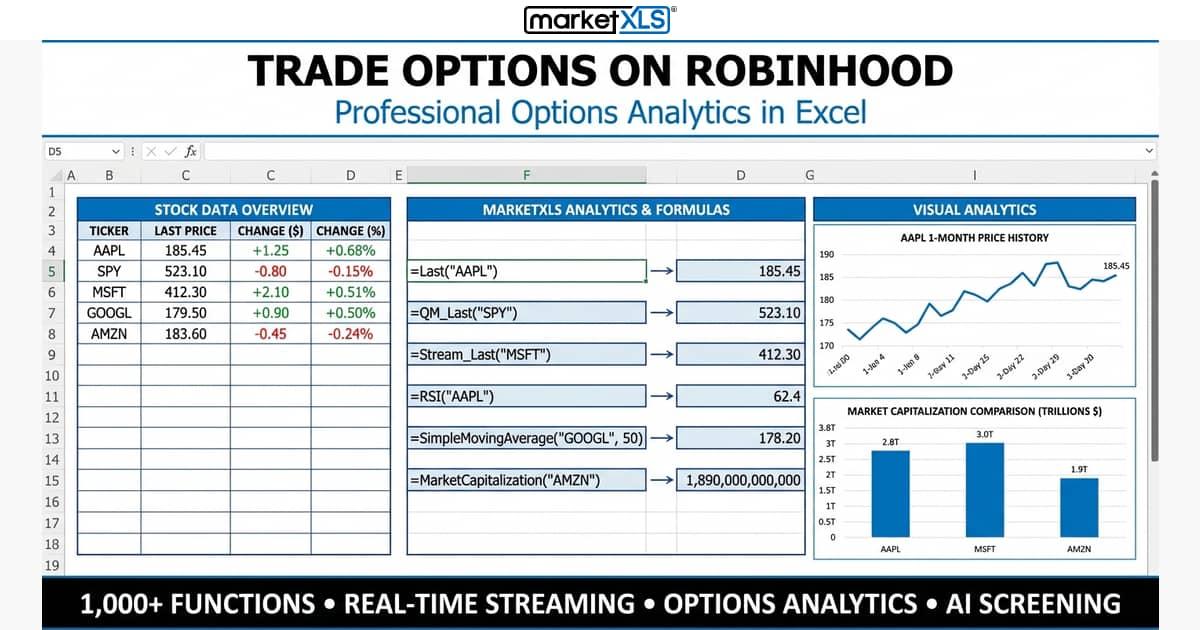
Trade Options on Robinhood is one of the most searched topics among beginner investors looking to enter the options market. Robinhood's commission-free trading and intuitive mobile interface have made it one of the most popular platforms for retail options traders. But while Robinhood makes it easy to place trades, truly understanding options — from approval levels and order types to the Greeks and advanced strategies — requires deeper knowledge. In this comprehensive guide, we'll walk you through every step of trading options on Robinhood, explain the platform's strengths and limitations, and show you how to complement your Robinhood trading with powerful analytical tools like MarketXLS.
Table of Contents
- What Is Robinhood and Why Trade Options There?
- How to Get Approved for Options Trading on Robinhood
- Understanding Robinhood Options Approval Levels
- Step-by-Step: How to Trade Options on Robinhood
- Understanding Options Order Types on Robinhood
- Key Options Terms Every Robinhood Trader Must Know
- Option Greeks Explained for Robinhood Traders
- Popular Options Strategies You Can Execute on Robinhood
- Limitations of Trading Options on Robinhood
- How MarketXLS Enhances Your Robinhood Options Trading
- Robinhood vs. Other Brokers for Options Trading
- Risk Management Tips for Options Trading
- FAQ
What Is Robinhood and Why Trade Options There?
Robinhood is a commission-free trading platform founded in 2013 by Vladimir Tenev and Baiju Bhatt. Originally launched as a mobile app in 2015, it expanded to a web platform in 2017. Robinhood disrupted the brokerage industry by offering zero-commission trading on stocks, ETFs, options, and cryptocurrency.
Why Traders Choose Robinhood for Options
- $0 commissions on options trades (no per-contract fees)
- Simple, intuitive interface designed for mobile-first trading
- $0 account minimum — start trading with any amount
- Fractional shares available alongside options
- Quick account setup with fast approval times
- Cash management features with competitive APY on uninvested cash
As of 2025, Robinhood has grown to over 23 million funded accounts and continues to add features for options traders, including improved charting and options chain displays.
How to Get Approved for Options Trading on Robinhood
Before you can trade options on Robinhood, you need to apply for options trading approval. Here's how:
Step 1: Open a Robinhood Account
If you don't already have one, download the Robinhood app or visit robinhood.com. You'll need:
- A valid Social Security number
- A U.S. residential address
- Be at least 18 years old
- A valid government-issued ID
Step 2: Apply for Options Trading
- Open the Robinhood app
- Tap on your Account icon
- Navigate to Settings → Options Trading
- Complete the options application questionnaire
Step 3: Answer the Questionnaire
Robinhood will ask about your:
- Investment experience (years of trading, knowledge level)
- Financial situation (annual income, net worth, liquid assets)
- Investment objectives (income, growth, speculation)
- Risk tolerance (conservative, moderate, aggressive)
Your answers determine which approval level you receive. Be honest — misrepresenting your experience can lead to account restrictions.
Step 4: Wait for Approval
Most approvals happen within 24–48 hours. You'll receive a notification when approved.
Understanding Robinhood Options Approval Levels
Robinhood uses a tiered approval system that determines which options strategies you can use:
Level 1: Covered Calls and Cash-Secured Puts
- Covered Calls: Sell calls against shares you own
- Cash-Secured Puts: Sell puts with enough cash to buy 100 shares
- Risk Level: Low to moderate
- Best For: Income generation on existing positions
Level 2: Long Calls and Long Puts
- Buying Calls: Right to purchase shares at a strike price
- Buying Puts: Right to sell shares at a strike price
- Risk Level: Moderate (limited to premium paid)
- Best For: Directional speculation with defined risk
Level 3: Multi-Leg Strategies (Spreads)
- Vertical Spreads: Bull call spreads, bear put spreads, credit spreads
- Iron Condors: Combine a bull put spread and a bear call spread
- Straddles and Strangles: When approved for this level
- Risk Level: Moderate to high
- Best For: Experienced traders using advanced strategies
“Note: Robinhood does not currently support naked calls, naked puts, or futures options. All short options positions must be covered or part of a defined-risk spread.
Step-by-Step: How to Trade Options on Robinhood
Here is a detailed walkthrough for placing your first options trade on Robinhood:
Step 1: Search for the Underlying Stock
Open the Robinhood app and type the stock ticker in the search box. For example, search for "AAPL" for Apple Inc. You'll see the current price, price chart, and company information.
Step 2: Open the Options Chain
Tap the Trade button at the bottom of the stock page, then select Trade Options. This opens Robinhood's options chain view.
Step 3: Select the Expiration Date
At the top of the options chain, you'll see available expiration dates. Choose your desired expiration — options closer to expiration have faster time decay (theta), while longer-dated options give you more time but cost more.
Step 4: Choose Call or Put
- Call Options: Select if you're bullish (expect the stock to rise)
- Put Options: Select if you're bearish (expect the stock to fall)
Toggle between Buy and Sell depending on your strategy.
Step 5: Pick a Strike Price
The options chain displays available strike prices. Key concepts:
- In-the-Money (ITM): Call strikes below current price; Put strikes above current price
- At-the-Money (ATM): Strike price closest to current stock price
- Out-of-the-Money (OTM): Call strikes above current price; Put strikes below current price
Step 6: Review the Order Details
After selecting a strike price, review:
- Premium: The price per share you'll pay (multiply by 100 for total cost per contract)
- Break-Even Price: The stock price at which you start making a profit
- Bid/Ask Spread: The difference between the highest buy price and lowest sell price
Step 7: Set Your Order Type and Submit
Choose your order type (see next section), set the number of contracts, review your order, and tap Submit.
Understanding Options Order Types on Robinhood
Robinhood supports several order types for options trading:
Limit Order (Default)
- You set the maximum price you'll pay (buying) or minimum you'll accept (selling)
- Robinhood defaults to the mid-point between bid and ask
- Recommended for most options trades to avoid poor fills
Market Order
- Executes at the current best available price
- Not recommended for options due to wide bid-ask spreads
- Can result in significantly worse fills than expected
Stop-Loss Order
- Triggers a market order when the option reaches a specified price
- Useful for limiting losses on existing positions
- Be cautious — wide spreads can cause unexpected fill prices
Stop-Limit Order
- Triggers a limit order when the option reaches a specified price
- Combines the protection of a stop with the price control of a limit
- May not execute if the price moves past your limit too quickly
Good-Till-Canceled (GTC) vs. Day Orders
- Day Order: Expires at market close if not filled
- GTC Order: Remains active until filled or canceled (up to 90 days)
Key Options Terms Every Robinhood Trader Must Know
Before placing trades, understand these essential concepts:
Premium
The price you pay to buy an option contract. Each contract represents 100 shares, so a $2.50 premium costs $250 total.
Strike Price
The predetermined price at which you can buy (call) or sell (put) the underlying stock.
Expiration Date
The last day the option is valid. After this date, unexercised options become worthless.
Break-Even Point
- Call: Strike Price + Premium Paid
- Put: Strike Price - Premium Paid
Intrinsic Value vs. Time Value
- Intrinsic Value: The amount an option is in the money
- Time Value: The extra premium above intrinsic value, reflecting time until expiration and volatility
Open Interest and Volume
- Volume: Number of contracts traded during the current session
- Open Interest: Total number of outstanding contracts — a measure of liquidity
Implied Volatility (IV)
IV represents the market's expectation of future price movement. Higher IV means more expensive options premiums. Understanding IV is critical because:
- Buying options when IV is high means you're paying more
- Selling options when IV is high can be profitable if IV decreases
- IV crush after earnings announcements can significantly reduce option values
Option Greeks Explained for Robinhood Traders
The Greeks measure how various factors affect an option's price. Understanding them is essential for managing risk:
Delta (Δ)
- Measures price change of the option per $1 move in the underlying stock
- Call Delta: Ranges from 0 to 1 (ATM calls ≈ 0.50)
- Put Delta: Ranges from -1 to 0 (ATM puts ≈ -0.50)
- Also approximates the probability of expiring in the money
Gamma (Γ)
- Measures the rate of change in Delta per $1 move in the underlying
- Highest for ATM options near expiration
- Important for understanding how quickly your Delta exposure changes
Theta (Θ)
- Measures daily time decay — how much value the option loses each day
- Always negative for long options (you lose value over time)
- Accelerates as expiration approaches, especially in the last 30 days
- Options sellers benefit from Theta decay
Vega (ν)
- Measures sensitivity to a 1% change in implied volatility
- Higher for longer-dated options
- Critical for understanding earnings plays and volatility strategies
Rho (ρ)
- Measures sensitivity to changes in interest rates
- Generally less impactful for short-term options
- More relevant for LEAPS (long-term options)
Popular Options Strategies You Can Execute on Robinhood
Basic Strategies (Level 1–2)
Covered Call
- Setup: Own 100 shares + sell 1 OTM call
- Outlook: Neutral to slightly bullish
- Max Profit: Premium received + (strike - stock price) × 100
- Max Loss: Stock price decline minus premium received
- Best When: You want income from shares you already own
Cash-Secured Put
- Setup: Sell 1 put + hold enough cash to buy 100 shares
- Outlook: Bullish — willing to buy at the strike price
- Max Profit: Premium received
- Max Loss: (Strike - 0) × 100 minus premium received
Long Call
- Setup: Buy 1 call option
- Outlook: Bullish
- Max Profit: Unlimited (theoretically)
- Max Loss: Premium paid
Long Put
- Setup: Buy 1 put option
- Outlook: Bearish
- Max Profit: (Strike - 0) × 100 minus premium paid
- Max Loss: Premium paid
Advanced Strategies (Level 3)
Bull Call Spread
- Setup: Buy 1 lower strike call + sell 1 higher strike call (same expiration)
- Outlook: Moderately bullish
- Max Profit: (Higher strike - lower strike) × 100 minus net premium
- Max Loss: Net premium paid
Bear Put Spread
- Setup: Buy 1 higher strike put + sell 1 lower strike put (same expiration)
- Outlook: Moderately bearish
- Max Profit: (Higher strike - lower strike) × 100 minus net premium
- Max Loss: Net premium paid
Iron Condor
- Setup: Sell 1 OTM put + buy 1 further OTM put + sell 1 OTM call + buy 1 further OTM call
- Outlook: Neutral — expect the stock to stay within a range
- Max Profit: Net premium received
- Max Loss: Width of wider spread minus premium received
Straddle
- Setup: Buy 1 ATM call + buy 1 ATM put (same strike and expiration)
- Outlook: Expect a large move in either direction
- Max Profit: Unlimited on the upside
- Max Loss: Total premium paid
Limitations of Trading Options on Robinhood
While Robinhood is excellent for beginners, it has several significant limitations that serious options traders should understand:
What You Cannot Do on Robinhood
| Limitation | Details |
|---|---|
| No naked options | All short positions must be covered or part of a spread |
| No futures options | Cannot trade options on futures contracts |
| No mutual funds | Only stocks, ETFs, options, and crypto |
| No IRAs or 401(k)s | Taxable accounts only (Roth IRA now available) |
| Limited order types | No trailing stops on options |
| No OTC/penny stock options | Cannot trade options on OTC bulletin board stocks |
| Basic charting | Limited technical analysis tools compared to other platforms |
| Limited research | Minimal fundamental analysis tools built in |
| Execution quality concerns | Payment for order flow model may affect fill prices |
| No multi-leg custom orders | Limited to predefined spread templates |
Analysis Gaps on Robinhood
Robinhood provides basic options data but lacks:
- Advanced options analytics (probability cones, scenario analysis)
- Historical volatility comparisons
- Detailed Greeks analysis across the entire chain
- Options screeners and scanners
- Profit/loss modeling tools
- Custom strategy builders
This is where external tools like MarketXLS become essential.
How MarketXLS Enhances Your Robinhood Options Trading
MarketXLS is an Excel add-in that brings institutional-grade options analytics to your spreadsheet. While you execute trades on Robinhood, you can use MarketXLS to perform the deep analysis that Robinhood doesn't offer.
Pulling Full Options Chains
Use the =QM_GetOptionChain() function to retrieve the entire options chain for any stock directly into Excel:
=QM_GetOptionChain("AAPL")
This returns all available expiration dates, strike prices, bid/ask prices, volume, open interest, and implied volatility — far more data than Robinhood displays on its mobile app.
Getting Real-Time Greeks and Analytics
The =QM_GetOptionQuotesAndGreeks() function delivers detailed Greeks for every option in the chain:
=QM_GetOptionQuotesAndGreeks("AAPL")
This gives you Delta, Gamma, Theta, Vega, and Rho for each contract, allowing you to:
- Compare Greeks across different strikes and expirations
- Build custom options screening models
- Calculate portfolio-level Greeks for your Robinhood positions
Pricing Individual Options
Use =OptionSymbol() to create the proper option symbol, then =QM_Last() to get real-time pricing:
=OptionSymbol("AAPL", "2026-03-21", "C", 200)
This returns: @AAPL 260321C00200000
Then get the current price:
=QM_Last("@AAPL 260321C00200000")
Tracking the Underlying Stock
Monitor the stocks you're trading options on:
=Last("AAPL")          // Current price
=Stream_Last("AAPL")   // Real-time streaming price
Building a Robinhood Options Tracker in Excel
Create a comprehensive options portfolio tracker with MarketXLS:
- Column A: Enter your option symbols using
=OptionSymbol() - Column B: Get current prices with
=QM_Last() - Column C: Track the underlying with
=Last() - Column D–H: Pull Greeks from
=QM_GetOptionQuotesAndGreeks() - Column I: Calculate P&L using your entry price vs. current price
This gives you a real-time dashboard that far exceeds Robinhood's built-in tracking.
MarketXLS Options Templates
MarketXLS includes ready-to-use templates for:
- Options chain analysis
- Iron condor and spread calculators
- Options P&L tracking
- Volatility analysis
- Strategy comparison tools
Explore MarketXLS pricing and features →
Robinhood vs. Other Brokers for Options Trading
| Feature | Robinhood | TD Ameritrade (thinkorswim) | Interactive Brokers | Webull |
|---|---|---|---|---|
| Commission | $0 | $0 + $0.65/contract | $0.65/contract | $0 |
| Approval Levels | 3 levels | 4 levels | 4 levels | 3 levels |
| Naked Options | No | Yes (Level 4) | Yes (Level 4) | No |
| Futures Options | No | Yes | Yes | No |
| Advanced Charting | Basic | Professional-grade | Advanced | Moderate |
| Options Analytics | Basic | Comprehensive | Comprehensive | Moderate |
| Paper Trading | No | Yes | Yes | Yes |
| Mobile Experience | Excellent | Good | Fair | Good |
| Account Minimum | $0 | $0 | $0 | $0 |
| Education Resources | Basic | Extensive | Moderate | Moderate |
When Robinhood Is the Right Choice
- You're a beginner learning options basics
- You primarily trade simple strategies (covered calls, long options)
- You value a clean, simple mobile interface
- You want $0 commissions with no per-contract fees
When You Might Outgrow Robinhood
- You need advanced multi-leg strategies or naked options
- You want professional-grade charting and analytics
- You need paper trading to test strategies
- You trade futures options or require advanced order types
Risk Management Tips for Options Trading
Regardless of which platform you use, follow these risk management principles:
Position Sizing
- Never risk more than 1–5% of your account on a single options trade
- Account for the possibility of total loss on any options position
- Consider your overall portfolio exposure, not just individual trades
The Importance of Defined Risk
- Beginners should stick to defined-risk strategies (spreads, long options)
- Know your maximum loss before entering any trade
- Use Robinhood's order preview to understand worst-case scenarios
Time Decay Awareness
- If you're buying options, time works against you
- Consider selling options to benefit from Theta decay
- Avoid holding short-dated options through earnings unless that's your strategy
Volatility Considerations
- Check IV rank and IV percentile before trading (use MarketXLS)
- Buy options when IV is relatively low
- Sell options when IV is relatively high
- Be aware of IV crush around earnings announcements
Exit Planning
- Set profit targets (e.g., close at 50% of maximum profit for credit spreads)
- Set loss limits (e.g., close at 200% of credit received)
- Don't let winning trades turn into losers by being greedy
- Consider rolling positions if your thesis is still intact
Frequently Asked Questions
How much money do I need to trade options on Robinhood?
Robinhood has no minimum account balance requirement. However, for options trading, you need enough funds to cover the premium of the contracts you want to buy. For example, if an option premium is $1.50 per share, you need $150 per contract (100 shares × $1.50). For selling cash-secured puts, you need the full cash value to purchase 100 shares at the strike price.
Can I trade options on Robinhood without owning the stock?
Yes, you can buy call and put options without owning the underlying stock (requires Level 2 approval). However, to sell covered calls, you must own the shares. To sell cash-secured puts, you need sufficient cash in your account. Robinhood does not allow naked selling of options.
What happens if my Robinhood option expires in the money?
If your long call option expires in the money and you have sufficient funds, Robinhood will automatically exercise it, purchasing 100 shares per contract at the strike price. If you don't have enough buying power, Robinhood may attempt to sell the option before market close on expiration day. You can also set your preference to not auto-exercise.
How do I analyze options before trading on Robinhood?
While Robinhood provides basic options chain data, serious analysis requires external tools. MarketXLS allows you to pull entire options chains with =QM_GetOptionChain(), analyze Greeks with =QM_GetOptionQuotesAndGreeks(), and build custom spreadsheet models. This helps you evaluate probability of profit, risk/reward ratios, and optimal strike selection before placing trades on Robinhood.
Is options trading on Robinhood safe for beginners?
Options trading carries inherent risks regardless of the platform. Robinhood's simplified interface can make options seem easier than they are. Before trading, ensure you understand how options work, start with basic strategies like covered calls or long options, use small position sizes, and never risk money you can't afford to lose. Using analytical tools like MarketXLS alongside Robinhood helps you make more informed decisions.
Can I day trade options on Robinhood?
Yes, but be aware of the Pattern Day Trader (PDT) rule. If your account balance is under $25,000, you're limited to three day trades within a five-business-day rolling window. Each options trade that is opened and closed on the same day counts as one day trade. Robinhood tracks your day trades and will restrict your account if you exceed the limit.
Conclusion
Trading options on Robinhood offers an accessible entry point into the options market thanks to its commission-free structure and user-friendly design. However, successful options trading requires more than just a good trading platform — it demands solid analytical tools, a thorough understanding of strategies and risk management, and disciplined execution.
By combining Robinhood's easy-to-use trading interface with MarketXLS's powerful options analytics in Excel, you get the best of both worlds: seamless trade execution on Robinhood and institutional-grade analysis through MarketXLS functions like =QM_GetOptionChain(), =QM_GetOptionQuotesAndGreeks(), and =OptionSymbol().
Ready to level up your options analysis? Explore MarketXLS pricing and features → | Visit MarketXLS
Disclaimer: None of the content published on marketxls.com constitutes a recommendation that any particular security, portfolio of securities, transaction, or investment strategy is suitable for any specific person. The author is not offering any professional advice of any kind. The reader should consult a professional financial advisor to determine their suitability for any strategies discussed herein. The trademarks, if any, are the property of their owners, and no representations are made.