
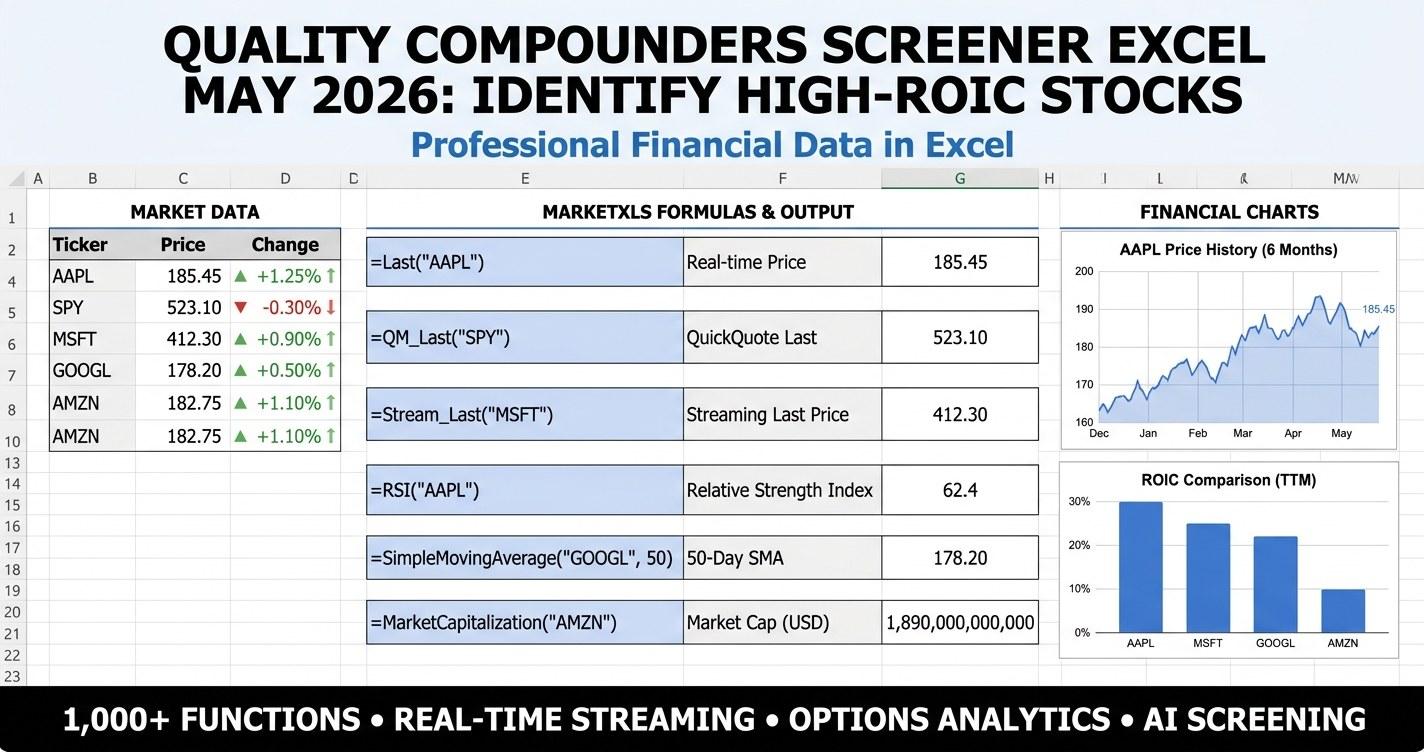
Quality compounders screener excel - if that phrase brought you here in May 2026, you are almost certainly trying to do one specific thing: separate the businesses that genuinely compound capital from the ones that look great on a momentum chart but burn cash beneath the headline. This guide walks through the six pillars of a real compounder screen, shows the exact MarketXLS formulas that power each pillar, and gives you a downloadable Excel template you can edit, rerank, and rebalance against your own risk tolerance.
Why a Quality Compounders Screener Matters in May 2026
The first half of 2026 has been a tale of two markets. The mega-cap technology and communication-services names that lead the index have re-rated on a different basis than they did during the 2023 to 2024 AI capex frenzy. Investors are now asking a sharper question: not just "is this company growing?", but "is it actually compounding the capital it deploys at a high incremental rate of return?" That is the question a quality compounders screener is built to answer.
Three things have changed since the start of the year:
- The 10-year Treasury is anchored in the 4.20% to 4.45% range, which means the hurdle rate for owning equities is higher than it was during zero-rate decade. Companies that earn 9% on invested capital are no longer obviously interesting; the math now favors businesses earning 18% to 25% and reinvesting at the same rate.
- Q1 2026 earnings showed wide dispersion in operating margin. Some staples and software names expanded margins on stable revenue. Others stalled at the EBIT line despite top-line growth. Operating margin is back in fashion as a quality signal.
- Buybacks have re-accelerated. The S&P 500 trailing buyback yield is back above 2.4%. That changes how reported return on equity should be interpreted, because aggressive buybacks shrink the denominator and inflate ROE without changing underlying capital efficiency. A compounders screener that leans only on ROE will get fooled.
The quality compounders screener excel template at the end of this post is built to handle all three of those signals on a single dashboard.
The Six Compounder Pillars (And Why ROIC Comes First)
A real compounder screen does not stop at one ratio. It blends six pillars, each weighted equally, and lets the scoring system tell you which stocks clear the bar on most of them. Here is the framework, and what the MarketXLS formula looks like for each.
| Pillar | What It Measures | MarketXLS Formula | Default Threshold |
|---|---|---|---|
| ROIC | Return on Invested Capital (LTM) | =RETURNONINVESTEDCAPITALONEYEAR("AAPL") | greater than or equal to 15% |
| ROE | Return on Equity | =RETURNONEQUITY("AAPL") | greater than or equal to 15% |
| Operating Margin | EBIT margin, operational efficiency | =OPERATINGMARGIN("AAPL") | greater than or equal to 15% |
| Debt-to-Equity | Balance sheet quality | =TOTALDEBTTOEQUITY("AAPL") | between 0 and 1.5 |
| Revenue Growth | Top-line durability | =REVENUEGROWTH("AAPL") | greater than or equal to 5% |
| Free Cash Flow | Real cash, not accounting earnings | =LEVEREDFREECASHFLOW("AAPL") | greater than or equal to 1 billion |
Each stock earns one point for each pillar it clears. A 5 or 6 point stock is a "high-conviction compounder". A 3 or 4 point stock is a "partial compounder" (often great ROIC but stretched leverage, or great margins but no growth). 0 to 2 points is a fail.
Why ROIC Sits at the Top
Return on invested capital is the cleanest single number in fundamental analysis because it isolates the question every long-term investor cares about: when this business deploys an extra dollar, what does it earn? Unlike ROE, ROIC is not gameable by financial leverage. Unlike profit margin, it includes the cost of the capital base. Unlike revenue growth, it tells you whether that growth is actually creating value.
Academic research from AQR, Bernstein, and a number of factor-investing shops has consistently shown that high-ROIC firms with durable ROIC (meaning the metric does not collapse in three years) outperform the market over long horizons. The catch is durability, which is why the screener also requires growth and free cash flow alongside ROIC.
The MarketXLS function =RETURNONINVESTEDCAPITALONEYEAR("AAPL") returns the trailing 12-month ROIC. There is also =RETURNONINVESTEDCAPITALQUARTER("AAPL") if you want to see the most recent quarter and watch for trend breaks.
Why ROE Comes Second, Not First
ROE is the metric most retail investors anchor on, but it is the most easily distorted of the six pillars. A company that runs an aggressive buyback program can compress equity to almost nothing and report ROE values above 100% or even negative (when equity goes negative due to accumulated buybacks). Home Depot, McDonald's, Starbucks, and Lowe's all show up in the sample template with distorted or negative book equity for exactly this reason. They are not unhealthy; they have just returned more capital than retained earnings could replace.
That is why the screener pairs ROE with ROIC. When both are above 15% and debt is sane, you have a genuine compounder. When ROE is sky-high but ROIC is mediocre, you have a buyback story dressed up as a quality story.
Operating Margin Is the Pricing-Power Signal
Operating margin captures how efficiently a company converts revenue to EBIT. It is the single best proxy for pricing power, because companies with real moats can pass through input cost inflation without sacrificing margin. Through 2024 and 2025, margin compression separated the wheat from the chaff in consumer staples. Through Q1 2026, the staples that held a 23% to 30% operating margin (Procter & Gamble, Coca-Cola, Costco) are the ones still clearing the screen.
=OPERATINGMARGIN("AAPL") returns the trailing operating margin. For a deeper margin profile, the template's Compounder Scorecard sheet adds =GROSSMARGIN("AAPL") and =NETPROFITMARGIN("AAPL") so you can see where in the income statement the profitability is being generated.
Debt-to-Equity Catches the Hidden Leverage
The screen uses a maximum threshold of 1.5x for total debt-to-equity. The function is =TOTALDEBTTOEQUITY("AAPL"). Anything above that range, and you are buying a business whose returns are partly funded by debt rather than retained earnings.
One quirk: as mentioned above, aggressive buybacks can drive book equity negative, which makes D/E meaningless (or produces wild negative numbers in the screener). The template flags those rows for visual inspection rather than mechanically rejecting them. If you see a stock with negative D/E and high ROIC, dig into the actual debt level on the balance sheet before drawing conclusions.
Revenue Growth Filters for Durability
A compounder is not a melting ice cube. The screen requires at least 5% trailing revenue growth, which is a generous bar given some Q1 2026 readings, but tight enough to filter out structurally challenged names. The MarketXLS function is =REVENUEGROWTH("AAPL"). For a more granular view, the template's Compounder Scorecard also uses =QUARTERLYREVENUEGROWTHYOY("AAPL") to spot deceleration.
Free Cash Flow Tells You What Is Real
The final pillar is =LEVEREDFREECASHFLOW("AAPL"). This is the cash left over after the company services its debt, makes its capex, and runs its working capital cycle. A company can manufacture earnings with accounting choices; it cannot manufacture levered free cash flow. The threshold of 1 billion in trailing FCF rules out small-caps and forces the screen to focus on names where the FCF is large enough to fund both dividends and buybacks.
The Quality Compounders Universe: 20 Candidates for May 2026
The template loads with 20 large-cap candidates that historically score well on this framework. These are starting points, not buy recommendations:
| Ticker | Company | Sector |
|---|---|---|
| AAPL | Apple Inc | Technology |
| MSFT | Microsoft Corp | Technology |
| GOOGL | Alphabet Inc | Communication Services |
| META | Meta Platforms | Communication Services |
| V | Visa Inc | Financial Services |
| MA | Mastercard Inc | Financial Services |
| JNJ | Johnson & Johnson | Healthcare |
| PG | Procter & Gamble | Consumer Defensive |
| KO | Coca-Cola Co | Consumer Defensive |
| COST | Costco Wholesale | Consumer Defensive |
| WMT | Walmart Inc | Consumer Defensive |
| HD | Home Depot | Consumer Cyclical |
| LOW | Lowe's Companies | Consumer Cyclical |
| TXN | Texas Instruments | Technology |
| NKE | Nike Inc | Consumer Cyclical |
| MCD | McDonald's Corp | Consumer Cyclical |
| SBUX | Starbucks Corp | Consumer Cyclical |
| ADBE | Adobe Inc | Technology |
| NVDA | NVIDIA Corp | Technology |
| ORCL | Oracle Corp | Technology |
You can edit this watchlist to anything you want. The template uses the ticker in column A to drive every formula on every sheet, so swapping in your own picks is as simple as overwriting the ticker cell.
What the Sample Template Shows at May 2026 Snapshot
The static sample file (link below) is pre-filled with illustrative data so you can see the scoring system before installing the add-in. A handful of observations from that snapshot:
- The screener at default thresholds (ROIC greater than or equal to 15%, ROE greater than or equal to 15%, OM greater than or equal to 15%, D/E less than or equal to 1.5, revenue growth greater than or equal to 5%, FCF greater than or equal to 1B) qualifies roughly 14 of the 20 names.
- Tighten ROIC to 25% and ROE to 25%, and the count drops to 6. That is the "Buffett Tier" preset in the Scenario Analysis sheet.
- Push to "Munger Tier" (ROIC and ROE both above 30%, D/E below 0.3), and only 2 to 3 names remain. The screen is intentionally brutal at that level.
- Technology and Communication Services names hold the highest ROIC averages, but they also bring the highest beta. Consumer Defensive offers lower ROIC but much better risk-adjusted compounding (low beta, low D/E).
The sample is a learning tool. The live formula version refreshes against current quarterly fundamentals every time you open the workbook.
MarketXLS Implementation: Building the Screener Step by Step
If you want to recreate the screener from a blank workbook, here is the column layout for the Main Dashboard:
Column A: Ticker (input)
Column B: Company name (input or =stockName lookup)
Column C: Sector            =SECTOR(A2)
Column D: Price             =QM_Last(A2)
Column E: Market Cap ($B)   =MARKETCAPITALIZATION(A2)/1000000000
Column F: ROIC %            =RETURNONINVESTEDCAPITALONEYEAR(A2)
Column G: ROE %             =RETURNONEQUITY(A2)
Column H: Operating Margin  =OPERATINGMARGIN(A2)
Column I: Debt/Equity       =TOTALDEBTTOEQUITY(A2)
Column J: Revenue Growth %  =REVENUEGROWTH(A2)
Column K: FCF ($B)          =LEVEREDFREECASHFLOW(A2)/1000000000
Column L: Beta              =BETA(A2)
For the score column, the formula in the template adds 1 point for each pillar that clears the threshold cell on the dashboard:
=IF(F2>=$D$5,1,0)
+IF(G2>=$D$6,1,0)
+IF(H2>=$D$7,1,0)
+IF(AND(I2>=0,I2<=$D$8),1,0)
+IF(J2>=$D$9,1,0)
+IF(K2>=$D$10,1,0)
That returns 0 to 6. A simple IF chain converts the score to a tier label: 5-6 is "High-Conviction", 3-4 is "Partial", 1-2 is "Weak", 0 is "Fail".
The Scenario Analysis sheet uses SUMPRODUCT to count how many stocks pass under each preset (Lenient, Default, Strict, Buffett Tier, Munger Tier). The Sector Allocation sheet routes those high-conviction picks into a position-sizing grid based on user inputs for portfolio size, equity allocation %, and compounder allocation %.
The Template: What's Inside
The downloadable Excel workbook has six sheets:
- How To Use. Plain-language walkthrough of every other sheet, threshold inputs, and disclaimers.
- Main Dashboard. Yellow-input threshold cells at the top, then the 20-stock screener with live formulas, score column, and tier label. Conditional formatting on the Score column gives a red-amber-green visual.
- Scenario Analysis. Five preset threshold tiers (Lenient through Munger), each with a
SUMPRODUCTcount of stocks passing. Lets you see how the qualifying universe collapses as you tighten the bar. - Compounder Scorecard. Per-stock breakdown of nine quality metrics including gross margin, net margin, ROA, ROIC, ROE, P/B, P/E, and FCF yield. Color-scaled ROIC and ROE columns make outliers obvious.
- Sector Allocation. Position sizing from your portfolio size and equity allocation inputs, distributed across the six sectors represented in the watchlist.
- Sector Comparison. Color-coded matrix of average quality metrics by sector, with key insights about where compounders cluster.
Every sheet includes a "MarketXLS Functions Used" section at the bottom so you know exactly which formula powers each cell.
Download the Templates
Download the quality compounders screener:
- - Pre-filled with illustrative data, every cell shows the live formula that would produce it
- - Live formulas, refreshes against current data when opened with the MarketXLS add-in
Open the formula version with MarketXLS installed and the entire workbook will repopulate with current quarterly fundamentals.
How the Screener Behaves Across the Q1 2026 Earnings Cycle
A common question is whether a quality compounders screener works year-round or only during certain phases of the cycle. The honest answer is that the screen is regime-independent in design but the qualifying names shift dramatically. During the deep growth selloff of late 2022, the screener concentrated heavily in consumer staples and large-cap healthcare, because those were the only sectors holding margin. Through the 2023 to 2024 AI rally, the screen migrated toward semiconductors and hyperscaler software. In Q1 2026, the screen sits on a roughly 50/50 split between mega-cap technology and capital-light services (payment networks, software, staples).
Three implications for May 2026:
- The screener is not a sector-rotation tool. It is a quality bar. Whichever sector is currently producing the cleanest fundamentals will dominate, which means concentration risk is real and you should pair the output with a sector cap if you are running it as a portfolio.
- The "consistent compounders" framing (popularized by Terry Smith of Fundsmith and Chuck Akre) emphasizes durability of return on capital over many years, not just one trailing twelve months. The MarketXLS template gives you a single-period snapshot. Cross-check by pulling a five-year history of ROIC using
=HF_ROA()or=HF_OPERATINGMARGIN()to spot trends, then exclude names where the metric is clearly trending down. - Beta matters more than it used to. With the 10-year Treasury yielding what it does, low-beta compounders (KO, PG, JNJ) earn a higher risk-adjusted return than high-beta compounders (NVDA, META) even if the absolute ROIC is lower. The template's beta column lets you set a Max Beta input as a final filter.
Common Mistakes When Using a Quality Compounders Screener
- Anchoring on ROE alone. As covered above, ROE is buyback-distorted. Always cross-check with ROIC.
- Ignoring debt growth. A company can lift ROE by borrowing money and buying back stock. A real compounder grows ROIC organically, not through financial engineering.
- Buying at any valuation. The screen does not include a valuation pillar by design (quality screens and value screens are different tools). If you want to add a P/E ceiling, the Compounder Scorecard sheet has a P/E column you can sort or filter on. A common practitioner approach is to require P/E less than 30 for non-tech and less than 40 for tech compounders.
- Treating the screen as a buy list. The screen is a watchlist generator. Position sizing, entry timing, and concentration management are separate problems.
- Forgetting to refresh. Quarterly fundamentals drive the screen. After every earnings season, reopen the workbook to refresh and rerank.
Pairing the Screener with Other MarketXLS Tools
A quality compounders screener works best as part of a broader analytical stack. Some natural pairings inside MarketXLS:
- The Earnings Quality Screener sits upstream of this one. If a stock fails earnings quality (accruals, cash conversion, restatements), do not bother screening it for compounder status.
- The Owner Earnings Calculator translates the FCF pillar into Buffett-style owner earnings.
- The Forward Earnings Yield Dashboard bolts a valuation lens on top of a quality screen.
- The Net Cash Stock Screener is a tighter variant focused on balance-sheet purity rather than capital efficiency.
- The Sector Valuation Dashboard helps you avoid paying compounder premiums for non-compounder fundamentals.
Each of those templates uses the same MarketXLS function library and can be opened side by side with the compounder screener.
FAQ
What is a quality compounder in stock investing?
A quality compounder is a business that produces a high return on the capital it invests, retains most of that capital to reinvest at the same high rate, and does this consistently over many years. The result is exponential growth in book value and earnings per share. Investors like Chuck Akre, Terry Smith, and (philosophically) Warren Buffett built their reputations by buying and holding quality compounders for decades. The mechanical signals are high ROIC, high ROE, durable operating margin, low leverage, positive revenue growth, and strong free cash flow.
What ROIC threshold should I use in a quality compounders screener excel template?
The default in this template is 15%, which is a generous bar that catches most genuinely high-quality businesses. Tighter thresholds carry tradeoffs: 20% will surface mega-cap tech and payment networks; 25% (Buffett Tier) drops the universe to perhaps 5 to 8 stocks; 30% (Munger Tier) is brutal and may leave you with 2 to 3 names. The right threshold depends on whether you are running a concentrated 5-stock portfolio or a diversified 20-stock portfolio. Lower thresholds give breadth; higher thresholds give purity.
How is the quality compounders screener different from a value or growth screen?
A value screen looks for cheap stocks (low P/E, low P/B, high earnings yield). A growth screen looks for fast-growing stocks (high revenue growth, high EPS growth, high analyst estimates). A quality compounders screen sits on a different axis: it looks for capital-efficient stocks regardless of how cheap or how fast-growing they are. Many of the highest-scoring compounders are neither cheap nor explosive growers; they are slow, steady, very profitable. Some investors combine quality with value (the "GARP at a quality premium" approach), which the MarketXLS template supports by exposing the P/E column on the Compounder Scorecard sheet.
Can I use this screener for international or small-cap stocks?
The MarketXLS formulas used here work for any ticker covered by the data provider, including international ADRs and small-caps. The default watchlist is US large-cap because that is where most retail investors start, but you can replace the tickers with any combination you like. Keep in mind that the FCF threshold (greater than or equal to 1 billion) excludes most small-caps. Lower that input cell if you want to scan a small-cap universe.
How often should I refresh the quality compounders screener?
Quarterly. The screen is driven by trailing-twelve-month and quarterly fundamentals, so the only time meaningful new data arrives is after each company's earnings release. Refresh once at the end of every earnings season (mid-February, mid-May, mid-August, mid-November) and rerank. Day-to-day price changes affect the dashboard's price and market cap columns but do not change which names pass the screen.
Does a quality compounders screener guarantee outperformance?
No. Academic and industry research has shown that the quality factor has produced positive long-run risk-adjusted returns across many market regimes, but quality stocks can underperform for extended periods, especially during deep cyclical recoveries or low-quality rallies. The screener is an educational and analytical tool, not a prediction engine. Position sizing, valuation discipline, and time horizon all matter at least as much as the screen itself. Nothing in this article or template is a recommendation to buy or sell any security.
The Bottom Line
A quality compounders screener excel template is the cleanest way to operationalize the question every long-term investor cares about: which businesses actually create value from each dollar of capital, and which ones just look exciting? By scoring 20 candidates on six independent pillars (ROIC, ROE, operating margin, debt-to-equity, revenue growth, and free cash flow), the screen turns the abstract idea of "quality" into a single number you can rank, filter, and stress-test.
The MarketXLS formula library makes this trivially easy in Excel. =RETURNONINVESTEDCAPITALONEYEAR("AAPL") gives you ROIC. =OPERATINGMARGIN("AAPL") gives you pricing power. =LEVEREDFREECASHFLOW("AAPL") tells you what cash is real. Combine those with a scoring rule and conditional formatting, and you have a professional-grade quality screen running on a single sheet, refreshed every time you open the workbook.
Download the templates above, plug in your own thresholds, and start ranking. For more on the broader MarketXLS function library and how to build custom screens from the ground up, visit https://marketxls.com or book a demo to see the platform live.
